







Contact us.
Tell us about your use case for Skin Analysis, Makeup Try-On or Hair Color Try-On. Access is invite-only during early access.
-
 sales@morphiaone.ai
SalesProduct, use-case, partnership, and demo inquiries
-
 support@morphiaone.ai
SupportCustomer support inquiries
Who it is built for
One API, many places to ship it. Each team below builds something different on the same models: inside an agent, an app, a booking flow or a store.
-
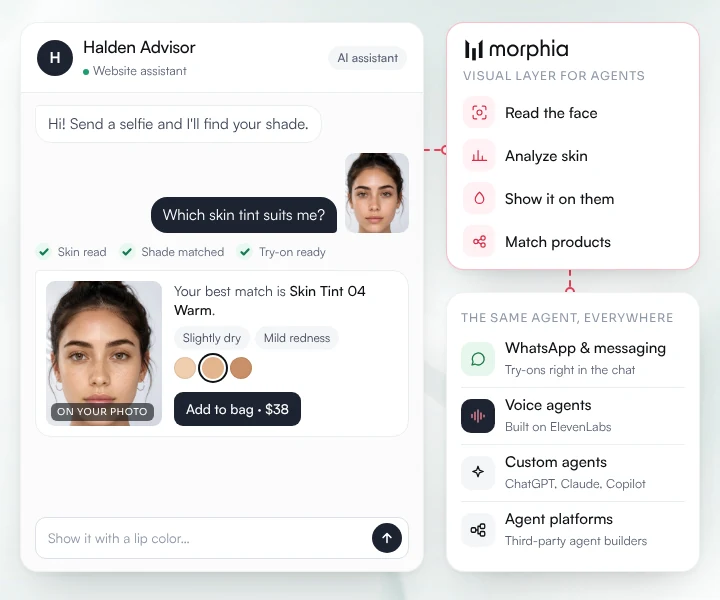
AI Agents & Assistants
Give your brand's agents visual skills, wherever they run.
How you use Morphia
- Website and app assistants
- WhatsApp and messaging
- Custom and voice agents
-
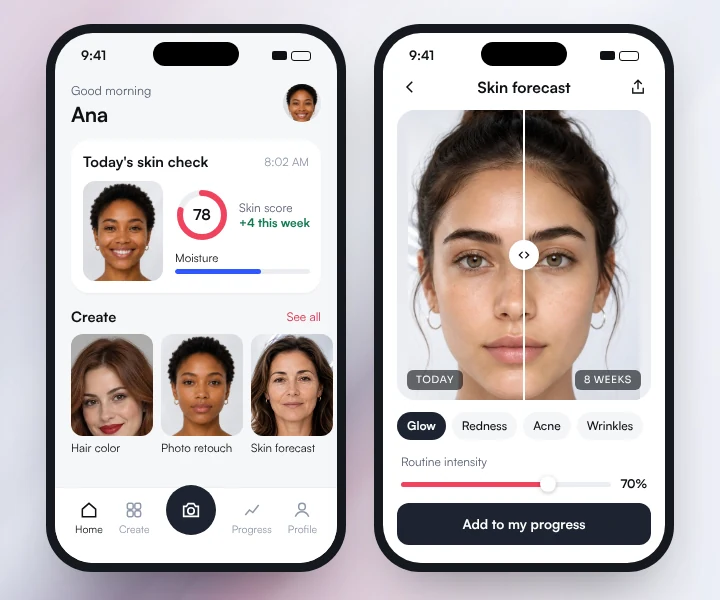
Consumer Apps & Mobile Studios
Ship skin checks, try-ons, editing and simulations from one selfie.
How you use Morphia
- Skin check-ins
- Hair color try-on
- Editing and skin simulation
-
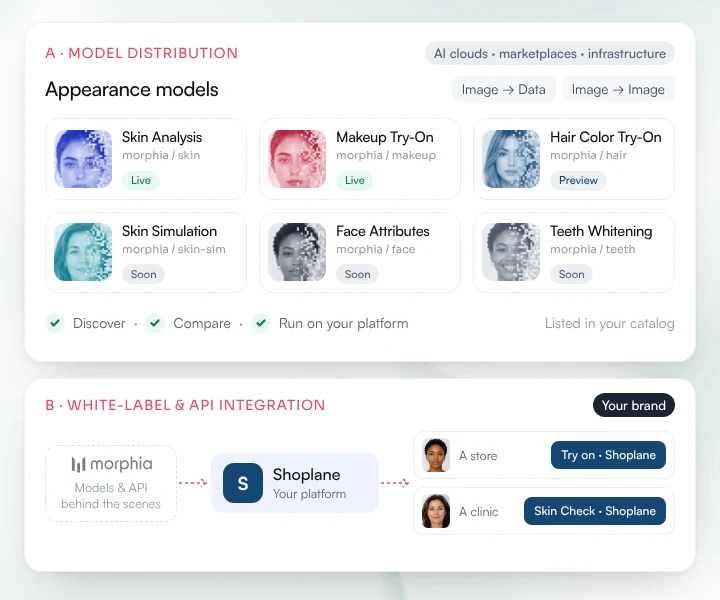
Platforms & Marketplaces
List our models in your catalog, or offer them under your own brand.
How you use Morphia
- List models in your catalog
- Offer features under your own brand
- One integration, many customers
-
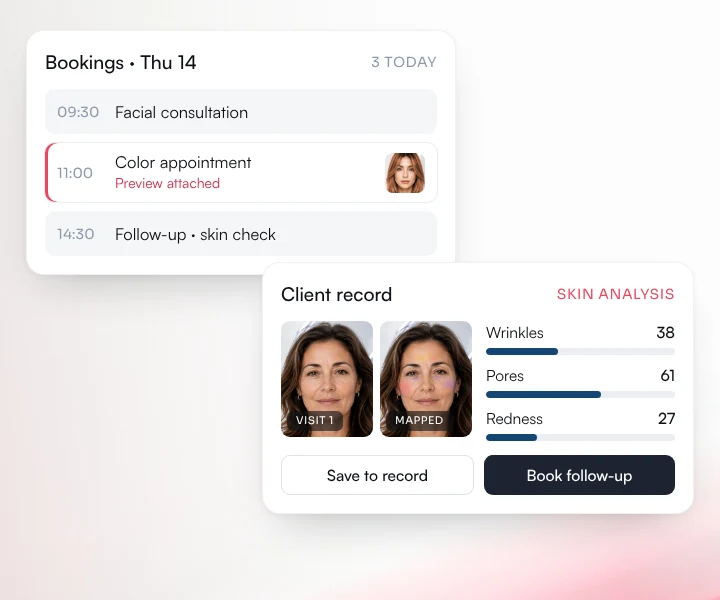
Vertical SaaS
Add analysis and previews to the software your customers run every day.
How you use Morphia
- Previews on bookings
- Analysis on client records
- Progress between visits
-
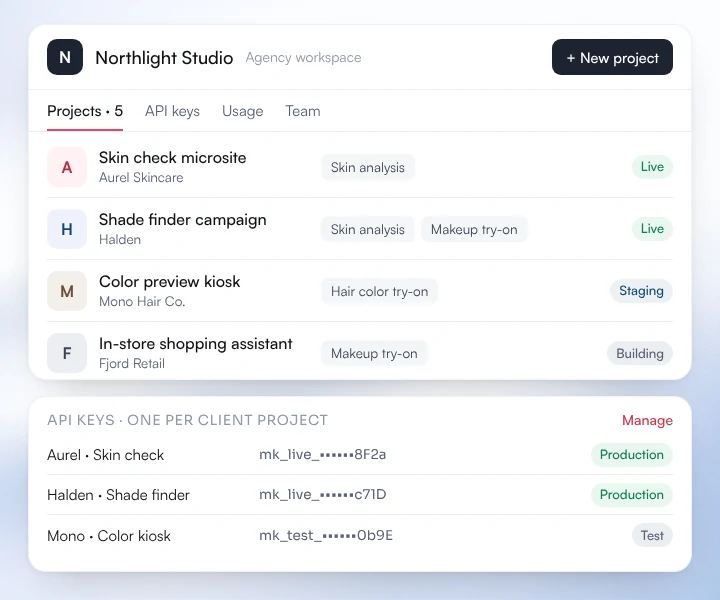
Agencies & Integrators
Build client campaigns and experiences, all managed from one workspace.
How you use Morphia
- Campaigns and activations
- Custom client experiences
- Projects and keys in one place
-
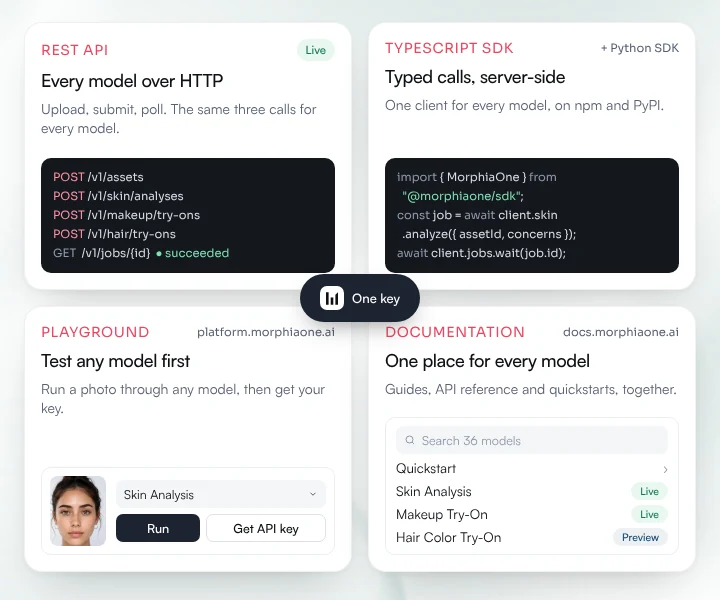
Developers & Product Teams
Every model through one API, one key and one set of docs.
How you use Morphia
- Many models, one platform
- TypeScript and Python SDKs
- Unified docs and a Playground
-
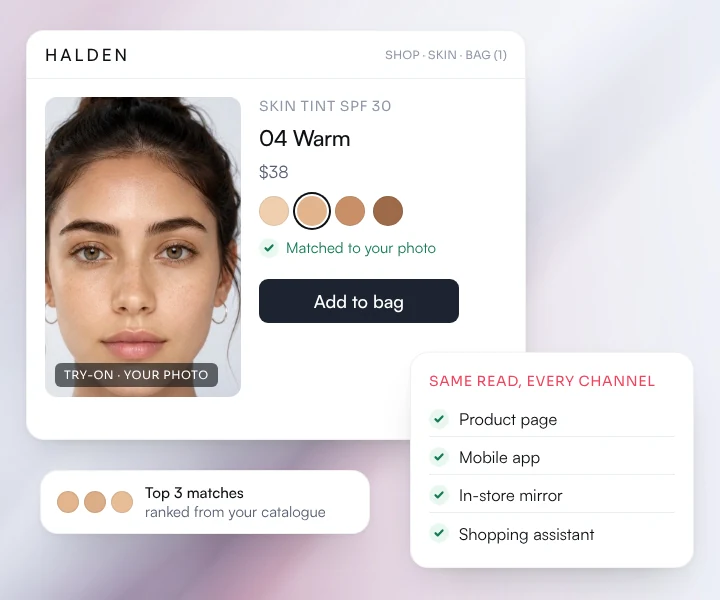
Brands & Retailers
Match, show and sell the right product across every channel.
How you use Morphia
- Shade matching from your catalogue
- Try-on on product pages
- One read across every channel
Why teams choose Morphia
Not a list of models — a list of things that ship.
-

Pricing that fits early access
During early access, pricing is agreed per account. Tell us your expected volume and we will talk it through.
-

Submit, poll, done
Upload the image once, submit a job, and poll it for the result, or let the SDK wait for you. A retried submit with the same idempotency key returns the same job.
-

Server-side SDKs for TypeScript and Python
Published on npm and PyPI as a Developer Preview. API keys are server-side credentials, so the SDKs run on your server, not in a browser.
-

Failed jobs are not charged
A job that fails is not billable: its credit hold is released, never captured. A photo that cannot be processed fails the job with an error code, so you pay only for results.