
COSMETICS & PERSONAL CARE

Let every customer see what suits them.

Cosmetics and personal care companies use Morphia to match products to people — on site, in store, in apps and inside AI agents.
yourbrand.com/lipstick
Velvet lipstick12 shades
Shade finder
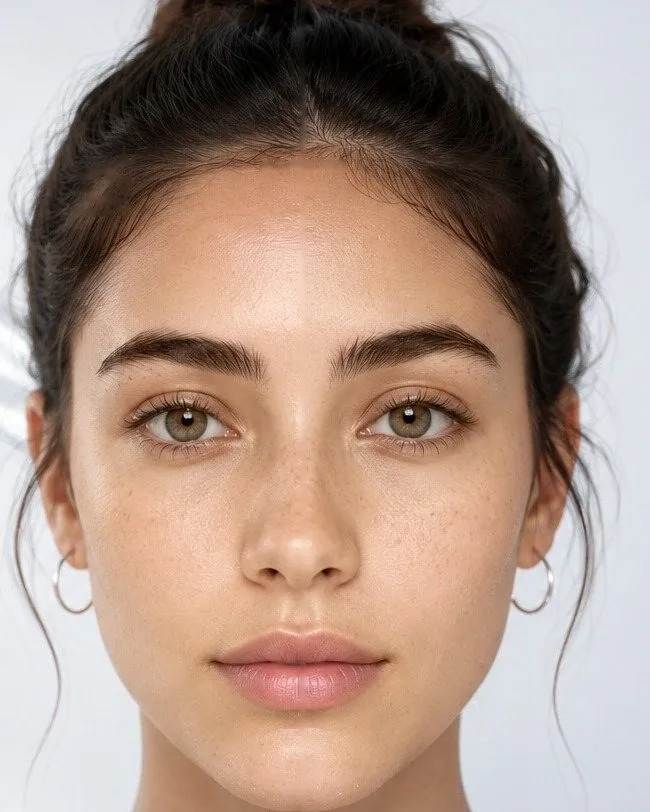
The customer’s face
Your face
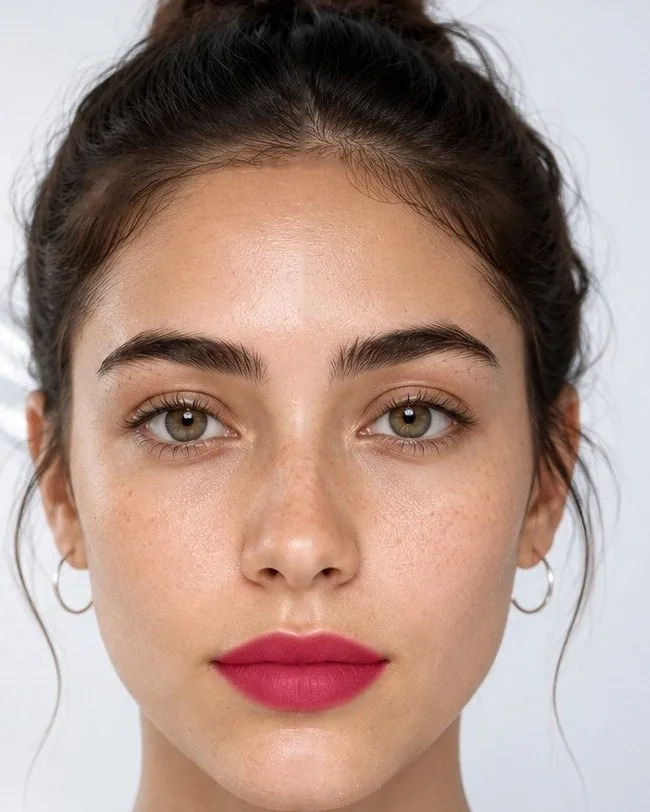
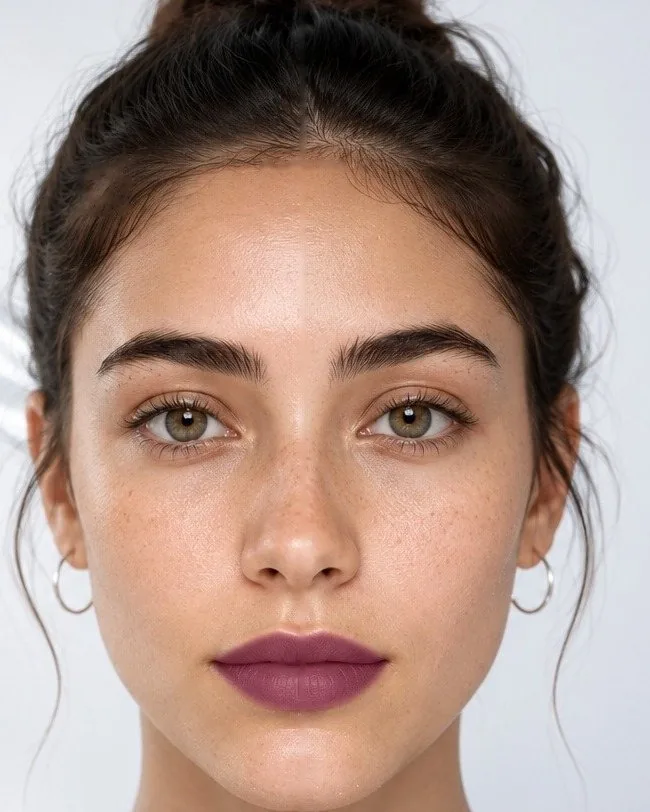
Rose 04 on the customerRuby 01 on the customerBerry 05 on the customer
On you
Sample shades ranked by fit
The Problem

Shoppers can’t test a shade through a screen.

Online, a foundation is a swatch on someone else’s skin. Shoppers guess, order two or three, and send back what doesn’t match. In store, testers and lighting make it no easier.

Morphia measures the shopper and ranks your own range, from one photo.

STITCHED · FOUR PROVIDERS Detect Vendor A $ Tone Vendor B $ Match Vendor C $ Render Vendor D $ Time to answer 4 uploads · 4 waits · 4 bills · results that don’t agree STITCHED · FOUR PROVIDERS Detect $ Tone $ Match $ Render $ Time to answer 4 uploads · 4 waits · 4 bills results that don’t agree
What the shopper needs
Without Morphia
Morphia
A personal match
Shade guesswork, shelf and online
A personal match per customer
A preview first
Wrong-shade returns
A preview before purchase
Agent-ready fit
Agents recommend by name
One fit dataset across channels
Real product
Images of no real SKU
Your SKU’s colour and texture on the customer
Explains itself
No way to tell how sure it is
A confidence value and a reason on every result
What the shopper needs● With Morphia
A personal matchWith MorphiaA personal match per customer
Without MorphiaShade guesswork, shelf and online
A preview firstWith MorphiaA preview before purchase
Without MorphiaWrong-shade returns
Agent-ready fitWith MorphiaOne fit dataset across channels
Without MorphiaAgents recommend by name
Real productWith MorphiaYour SKU’s colour and texture on the customer
Without MorphiaImages of no real SKU
Explains itselfWith MorphiaA confidence value and a reason on every result
Without MorphiaNo way to tell how sure it is
How it works

One read of the shopper.
Every place you sell.

A selfie or an uploaded photo goes to Morphia once. Tone, undertone, shade matching and try-on all work from that read, so the shade you recommend is the shade you show.
  1. 01
    InputWhat your app sends
    Selfie · front camera or uploadYour catalogue · shades, SKUs, finishesShopping context · product, look
  2. 02
    One APIOne key for every capability
    REST · BackendsSDK · TypeScript, PythonMCP · Soon
  3. 03
    Read onceEvery endpoint works from the same read
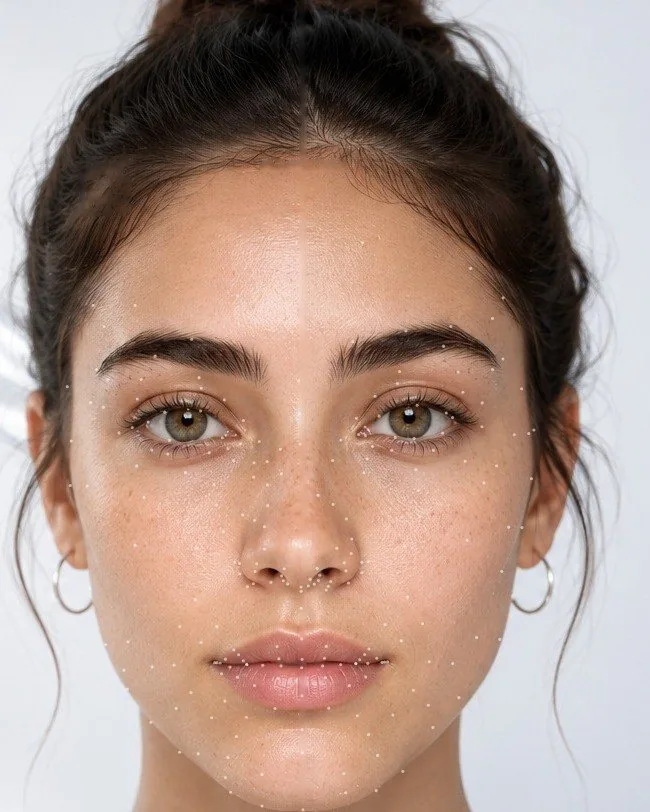
    Landmark mesh over a faceLandmarks68+ pointsRegion masksSkin, lips, hairToneLab*, lighting removedInput qualityOn every read
    FaceSkinHairTeethHandsBody · early access
  4. 04
    OutputStructured, and in agreement
    MeasurementsMasksMatchesRendersPreviews
  5. 05
    Where it shipsInside your product
    Product pagesConsumer appsIn-store screensAI assistantsClinic & salon

The photo is uploaded once. Every result comes with a confidence and a reason.

A shopper on a product page uploads a selfie to find her foundation shade.
Active path
01InputWhat your product sends
02One APIOne key, one call
03Human appearance intelligenceRead once, shared by every model
04OutputStructured, and in agreement
05Where it shipsInside your product
SelfieFront camera or upload
Your catalogueShades, SKUs, finishes
Shopping contextProduct, category, look
morphia · One key· One schema· One job per request Reach it from RESTBackends MCPSoon SDKTS, Python DeviceScreens
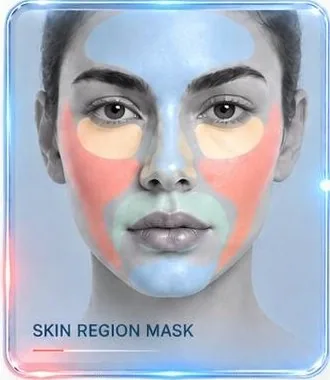
Region mask over a face Read onceasset_id asset_gczdnc Landmarks68+ pointsRegion masksSkin, lips, hair, teeth, nailsToneLab*, lighting removedInput qualityScored on every read Analyze Transform Simulate Face Skin Hair Teeth Hands BodyEarly access Every call references one asset_id. Nothing is re-uploaded or re-detected.
MeasurementsTone, undertone, skin scores
MasksThe pixels each result refers to
MatchesRanked shades from your catalogue
RendersReal colour, finish and texture
PreviewsBefore and after, same person
Every result carries a confidence value and a reason.
AI assistantsSee and measure the user
Product pagesMatch and try on
Consumer appsSelfie & photo features
In-store screensTablets and kiosks
Clinic & salonIn every consultation
01Understand
02Analyze
03Recommend
04Visualize
05Validate

Recommend. Skin Tone and Undertone measure her, Shade Match ranks shades from your range closest first, and Try-On renders the best one on her.

Morphia · one requestSkin AnalysisSample
The input image, uploaded once POST /v1/assets asset_6pa8ad Same image for every endpoint
Request
Response200 · succeeded

Stitched together, the shade drifts.

When measuring, matching and rendering come from separate providers, each reads the face again. The shade you rank and the shade you render can stop agreeing.

With Morphia, one upload serves every endpoint.

Capabilities

From skin read to shade on the face.

Each capability answers one question about how a shopper looks, from a single photo.

Early access
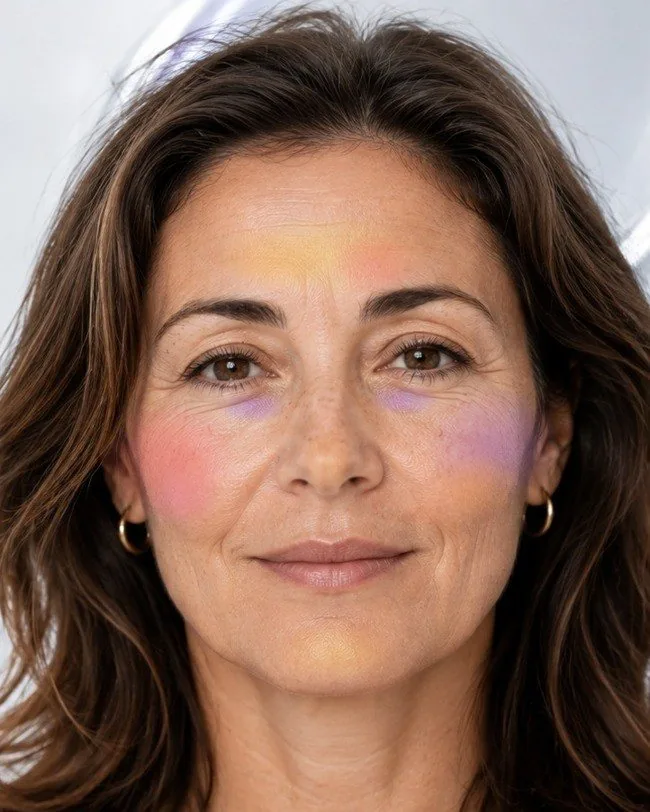
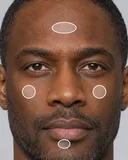
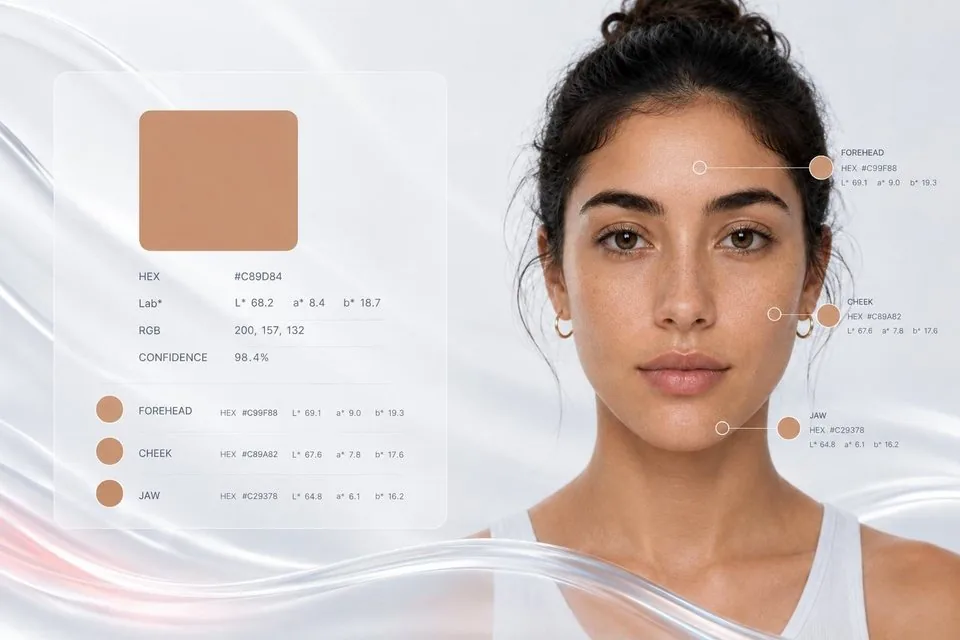
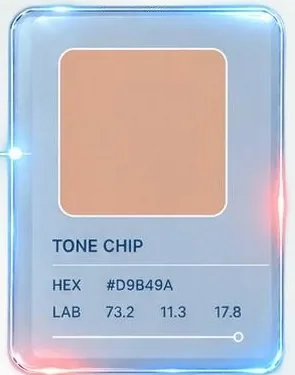
Skin tone measured at forehead, cheek and jaw, with HEX and Lab* values
Skin · Analyze

Skin Tone

Tone in Lab* with the lighting removed, so a match holds photo to photo.
Early access
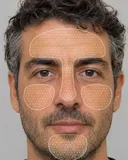
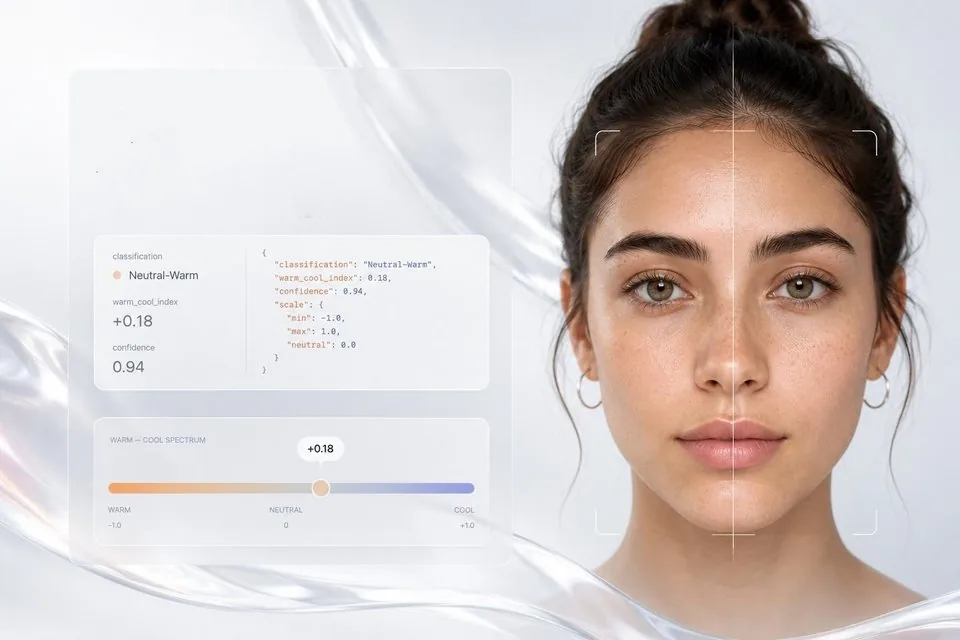
Undertone classified as neutral-warm on a warm-to-cool scale, with a confidence
Skin · Analyze

Undertone

Warm, cool or neutral, with a confidence the agent can quote.
Early access
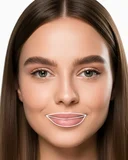
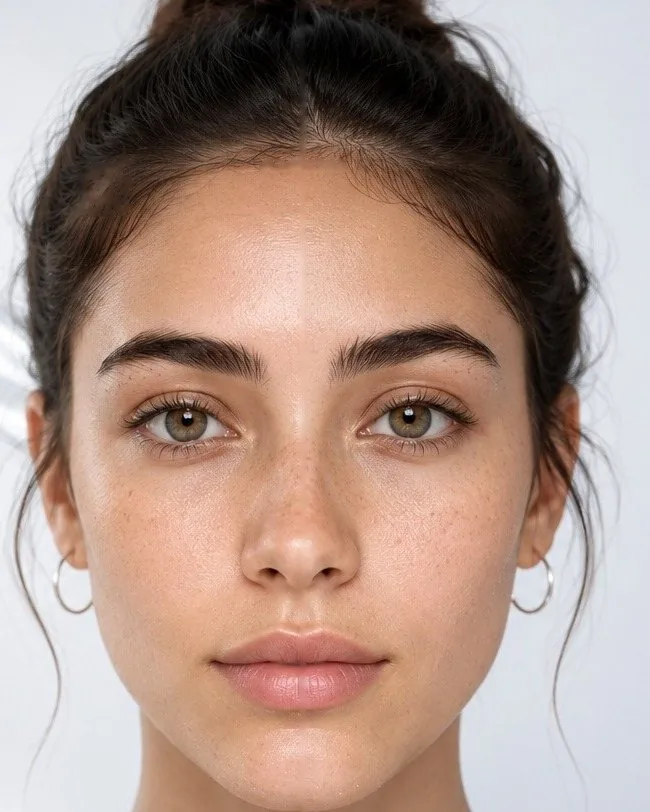
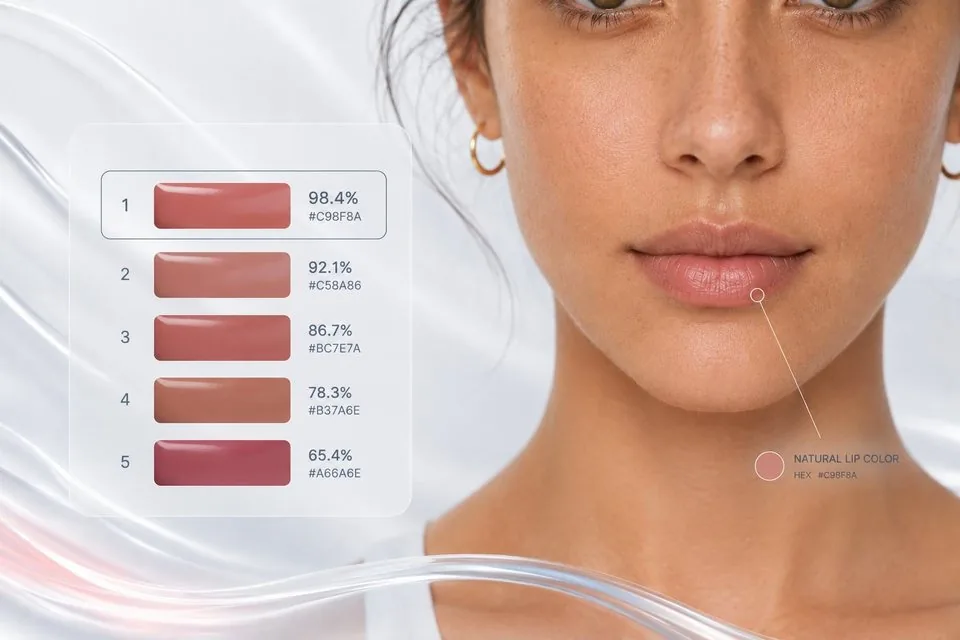
Lip shades ranked against the natural lip colour, closest first
Match · Analyze

Shade Matching

Your own shades ranked against the measured colour, closest first.
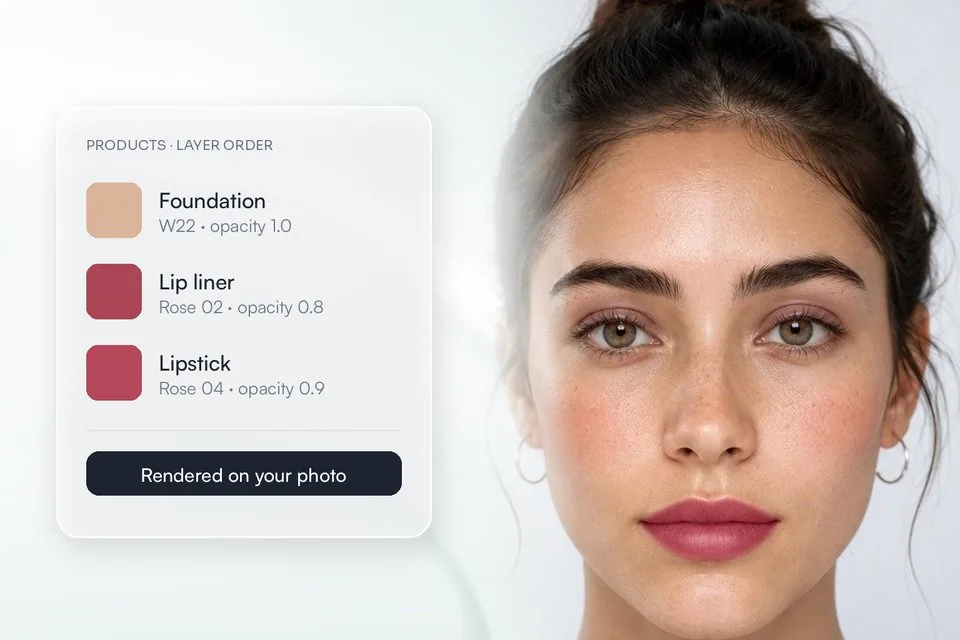
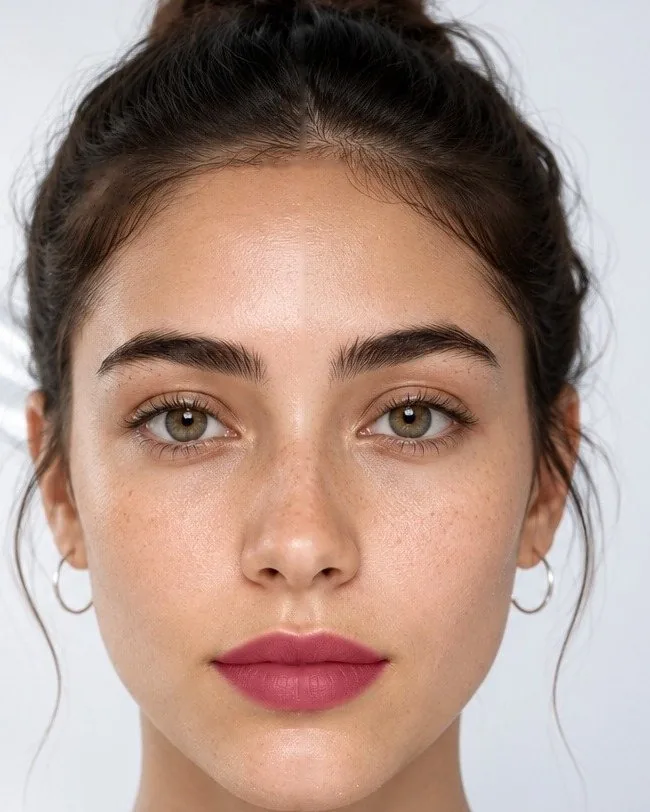
Foundation, lip liner and lipstick layered on the user’s photo
Makeup · Transform

Makeup Try-On

Foundation, lipstick and lip liner, layered in order on the user’s own photo.
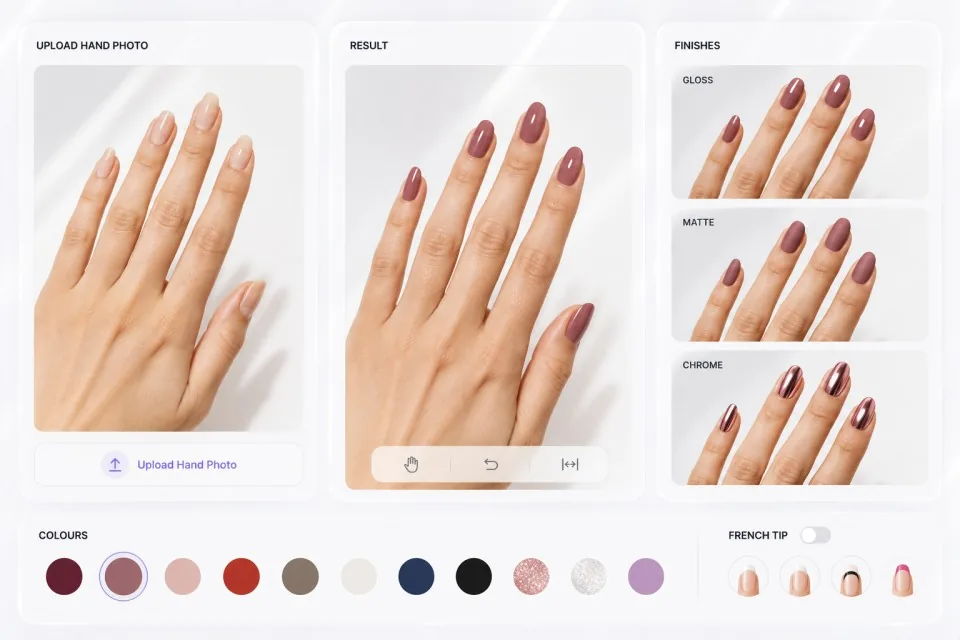
Coming soon
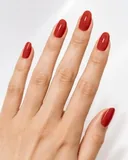
A bare hand and the same hand with mauve polish, with gloss, matte and chrome finishes
Nails · Transform

Nail Try-On

Polish and finish on the user’s own hand, with every nail found first.
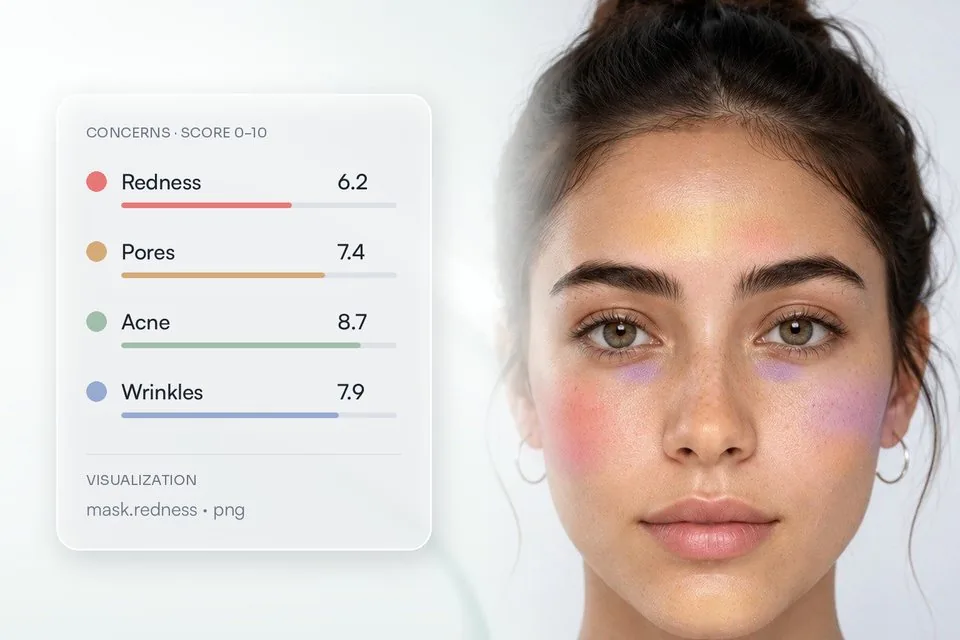
Skin Analysis concern scores over a selfie, with the per-region overlay
Skin · Analyze

Skin Analysis

Concern scores from 0 to 10, each with a mask the agent can point at.
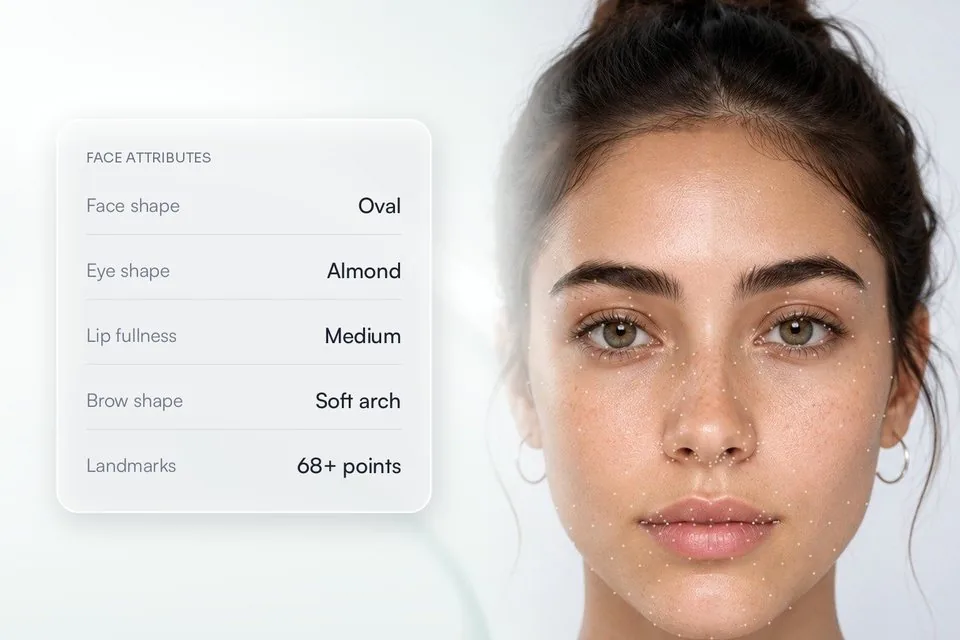
Early access
Face attributes read from landmarks: face, eye, lip and brow shape
Face · Analyze

Face Landmarks & Geometry

Landmarks, proportions and symmetry as numbers, read from the same mesh.
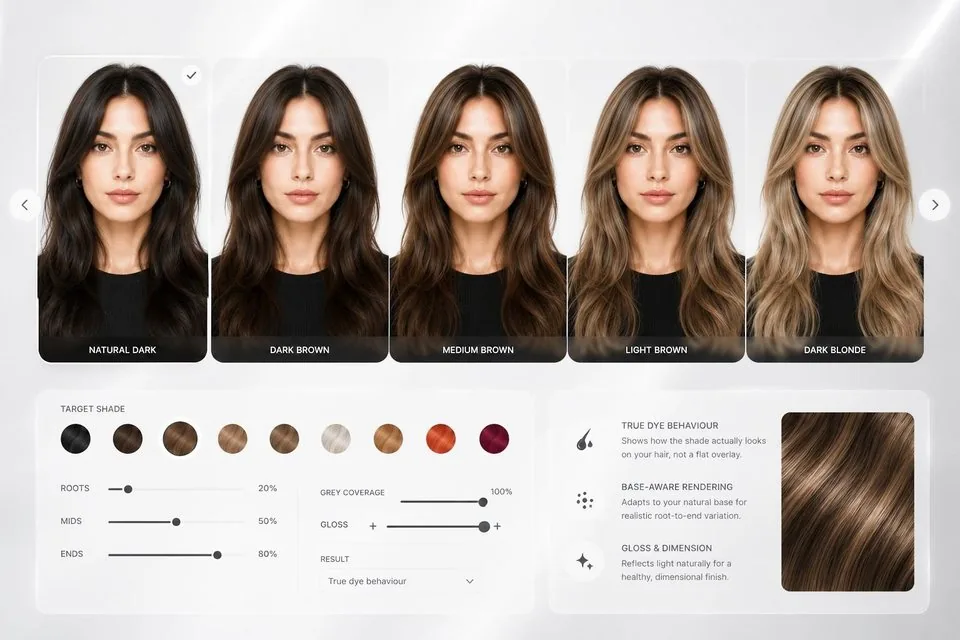
Early access
Five hair colours rendered on the same person, with root-to-end controls
Hair · Transform

Hair Color Try-On

A new hair colour rendered on the user’s own hair, strand by strand.

Use Cases

What you can build

Four ways cosmetics brands match products to people. Every match says how sure it is.

Scenario 01 · Shade matching Tap a shade, a product or a concern · drag a photo to compare

The right shade from your own catalog.

yourbrand.com/face/second-skin-foundation
The matched foundation shade rendered on the shopper
The shopper's selfie
Drag to compare Your selfie #D9B49ALab 73.2 · 11.3 · 17.8 Bare24W
Your brandSecond Skin Foundation$38 · 24 shades · satin finish
Read from your selfie
Tone#D9B49A UndertoneWarm · 0.21
Your closest shades
Find my shade
4 endpoints · same asset_iddone

Waiting for the photo…

01skin_tones200
hex–
02undertones200
class–
03shade_matches200
top–
04try_on200
sku–

Skin Tone and Undertone measure her once. Shade Match ranks your 24 shades, and Try-On renders the closest one on the same asset_id.

InputSelfie on the product page
Morphia · 4 endpointsskin_tones + undertones + shade_matches + try_on
OutputHer closest shade, on her
Your productAdd to bag

Real color and texture, on the customer.
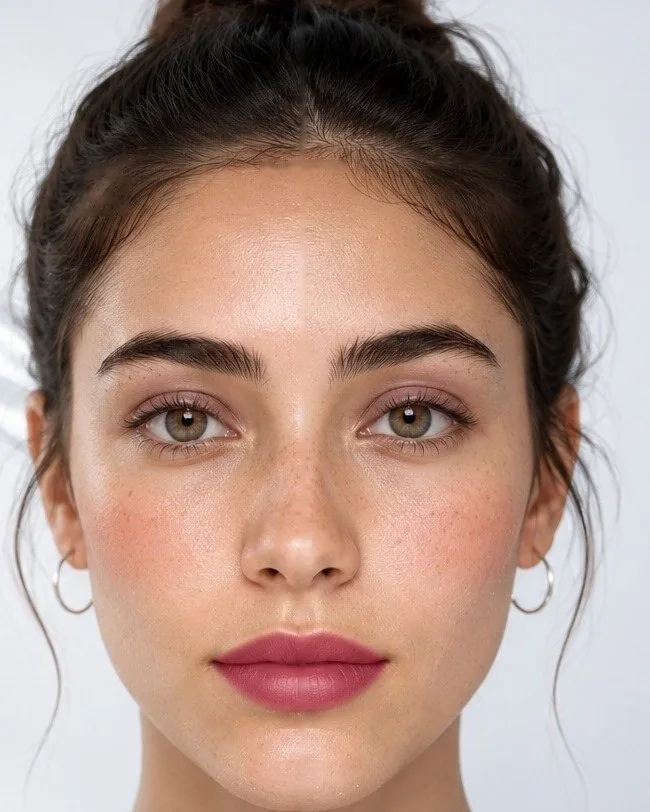
yourbrand.com/bag
The products in the bag rendered on the shopper
The shopper's photo
Drag to compare Your photo BareFull look
Your bag · 2 productsThe Evening EditLipstick, blush and shadow · $58
Try on before you pay
Lip shade
Items rendered0 Mode–
Try the whole bag
1 endpoint · same asset_id200

Waiting for the photo…

01try_on200
items–
lipstick–
blush–
eyeshadow–
mode–

One Try-On call takes every item in the bag. A fast preview while she switches shades, full quality for the look she keeps.

InputShopper’s photo
Morphia · 1 endpointtry_on · 3 items
OutputThe whole look on her
Your productCheckout

Fit attributes AI shopping agents can read.

Shopping agentTablet app · SDKYour store
Build me a simple routine for my skin, and a lipstick for a wedding. Under $120.
The shopper's selfie
skin_analyses · skin_tones · undertones
Your cheeks show the most redness (58). Tone reads light-medium, warm undertone (0.90). I started with a calming cleanser and serum.
shade_matches
try_on
Skin Tint W22 is your closest match (ΔE 1.6). With Rose 04 for the wedding:Skin Tint W22 and Rose 04 lipstick rendered on the shopper's selfie
Check out · $112Swap lipstick
Check out.
4 items, $112, to your saved address. Confirm?
✓ Ordered. Tracking is on its way by email.
Ask your agent…
Your routine
Calming Gel CleanserFor redness · 58$18
Barrier SerumRedness and texture$32
Skin Tint W22Shade match · ΔE 1.6$38
Satin Lipstick Rose 04Rendered on your photo$24
Total– Budget$120
Check out
5 calls · same asset_iddone

Waiting for the photo…

01skin_analyses200
top–
02skin_tones200
hex–
03undertones200
class–
04shade_matches200
top–
05try_on200
items–

Products and prices come from your catalogue. The agent pays only after the shopper confirms.

InputSelfie, budget and an occasion
Morphia · SDK · 5 callsskin_analyses … try_on
OutputA routine matched to her read
Your productChecks out once she confirms

The same experience on store screens.

Consultation · Aylin D.Tablet at the counterCounter 2
The customer's photo with the skin map
The customer's photo, taken on the tablet
Drag to compare Customer photo #C99A7AWarm · Lab 66.8 · 12.4 · 19.9 PhotoSkin map
Aylin D.Walk-in · shade and skincareWarm
Second Skin · for her tone
For her skin · from your range
Send to her phone
4 endpoints · same asset_iddone

Waiting for the photo…

01skin_tones200
hex–
02undertones200
class–
03shade_matches200
top–
04skin_analyses200
concern–

One photo on the tablet, four endpoints on the same asset_id. The consultant sees the shade and the skin together, and your app sends both to the customer.

InputPhoto on the counter tablet
Morphia · 4 endpointsskin_tones + undertones + shade_matches + skin_analyses
OutputHer shade and her skin, one consult
Your productSends both to her phone
For Developers

One key. Call the models your use case needs.

1
Set upcurl + jq, API key from the Platform
export MORPHIAONE_API_KEY="pk_test_..." MORPHIAONE_BASE_URL="https://api.morphiaone.ai"
2
Upload and submitkey in X-API-Key
ASSET_ID=$(curl -s "$MORPHIAONE_BASE_URL/v1/assets" -H "X-API-Key: $MORPHIAONE_API_KEY" -H "Content-Type: image/jpeg" --data-binary @face.jpg | jq -r .id) curl -s -D h.txt "$MORPHIAONE_BASE_URL/v1/skin/analyses" -H "X-API-Key: $MORPHIAONE_API_KEY" -H "Idempotency-Key: run-001" -H "Content-Type: application/json" -d '{"inputs":[{"role":"source","asset_id":"'$ASSET_ID'"}],"concerns":["acne","redness"]}'
3
Read the resultpoll until succeeded
curl -s -H "X-API-Key: $MORPHIAONE_API_KEY" "$MORPHIAONE_BASE_URL$(grep -i ^location h.txt | cut -d' ' -f2 | tr -d '\r')" # → "output": { "concerns": [{ "concern": "acne", "score": 8.7 }, …] }
Read the docs →
See all capabilities →
Why teams choose Morphia

Pricing for early access

Pricing is agreed per account during early access. Failed jobs are never charged.

Submit, poll, done

Upload the image once, submit a job and poll it, or let the SDK wait for you.

A confidence and a reason

Every result says how sure it is and why, so the agent can explain a pick or ask for a retake.

Cosmetic, not medical

Readings describe appearance. They are not a diagnosis. No face recognition and no attractiveness scores.

Explore the API

Start building with Morphia.

Start with an API key. Upload a selfie, pick a product, see it on the face.

uploadedasset_id
Step 1Upload a selfieWith consent, front-facing.
Rose 04 · lipstickCoral 03Berry 05
Step 2Pick a productA SKU from your catalog.
The uploaded selfie
Photo
Rose 04 rendered on the same selfie
Rose 04
Step 3See what returnsThe product, rendered on the same face.
API keysPOST /v1/makeup/try-ons202 → succeeded