





AI MARKETPLACES & CLOUD PROVIDERS

Offer human appearance models to your developers.

Model marketplaces and cloud providers can list, distribute or resell Morphia models — production analysis and try-on that most catalogs do not have.

models.example.com/catalog
CategoriesTextImageAudio
Text modelText
Image generatorImage
Morphia · Skin AnalysisAvailable
CategoryAppearanceEndpointPOST /v1/skin/analysesLatencyListed by the platformPricePer call, published pricing
Speech to textAudio
EmbeddingsText
Morphia · Skin AnalysisAvailable
CategoryAppearanceEndpointPOST /v1/skin/analysesLatencyListed by the platformPricePer call, published pricing
Morphia · Makeup Try-OnAvailable
Morphia · Hair Color Try-OnAvailable
Generic catalog, no marketplace branding
The Problem

Catalogs are strong on generation. Empty on analysis.

Developers come to your catalog for image models, then leave to find something that can measure a face, match a shade or render a product on a person.

Morphia adds a specialist appearance category, with production models and published pricing.

STITCHED · FOUR PROVIDERS Detect Vendor A $ Tone Vendor B $ Match Vendor C $ Render Vendor D $ Time to answer 4 uploads · 4 waits · 4 bills · results that don’t agree STITCHED · FOUR PROVIDERS Detect $ Tone $ Match $ Render $ Time to answer 4 uploads · 4 waits · 4 bills results that don’t agree
What your catalog needs
Without Morphia
Morphia
Analysis models
Strong on generation only
A new specialist category
Keep developers
They leave for specialist models
Production models in your catalog
Clear pricing
No appearance category to offer
Published pricing, billed by you
One partnership
A contract per model vendor
One partnership, many developers
Explains itself
No way to tell how sure it is
A confidence value and a reason on every result
What your catalog needs● With Morphia
Analysis modelsWith MorphiaA new specialist category
Without MorphiaStrong on generation only
Keep developersWith MorphiaProduction models in your catalog
Without MorphiaThey leave for specialist models
Clear pricingWith MorphiaPublished pricing, billed by you
Without MorphiaNo appearance category to offer
One partnershipWith MorphiaOne partnership, many developers
Without MorphiaA contract per model vendor
Explains itselfWith MorphiaA confidence value and a reason on every result
Without MorphiaNo way to tell how sure it is
How it works

Read once.
Listed once, called by every developer.

A developer calls Morphia through your platform with the key they already have. Morphia reads the photo once and returns typed JSON, and usage is billed through you.
  1. 01
    InputWhat the developer sends
    Photo · from the developer’s appPlatform key · their existing keyDeveloper request · analyze or try on
  2. 02
    One APIOne key for every capability
    REST · PlatformsSDK · TypeScript, PythonMCP · Soon
  3. 03
    Read onceEvery endpoint works from the same read
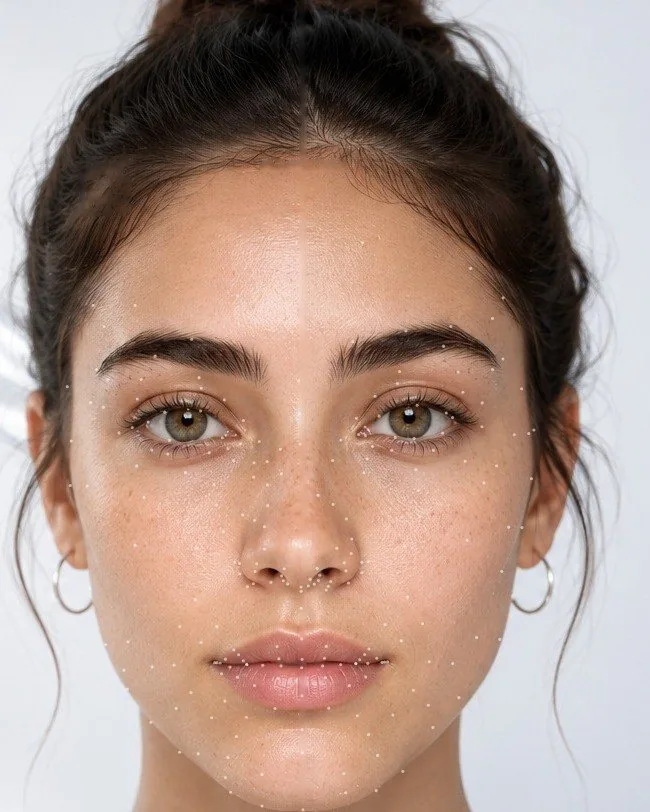
    Landmark mesh over a faceLandmarks68+ pointsRegion masksSkin, lips, hairToneLab*, lighting removedInput qualityOn every read
    FaceSkinHairTeethHandsBody · early access
  4. 04
    OutputStructured, and in agreement
    MeasurementsMasksMatchesRendersPreviews
  5. 05
    Where it shipsInside your product
    Model marketplacesCloud providersInference platformsAPI marketplacesDeveloper apps

The photo is uploaded once. Every result comes with a confidence and a reason.

A developer finds Skin Analysis under Appearance and calls it with their platform key.
Active path
01InputWhat your agent sends
02One APIOne key, one call
03Human appearance intelligenceRead once, shared by every model
04OutputStructured, and in agreement
05Where it shipsInside your product
PhotoFrom the developer’s app
Platform keyTheir existing key
Developer requestAnalyze or try on
morphia · One key· One schema· One job per request Reach it from RESTPlatforms MCPSoon SDKTS, Python DeviceScreens
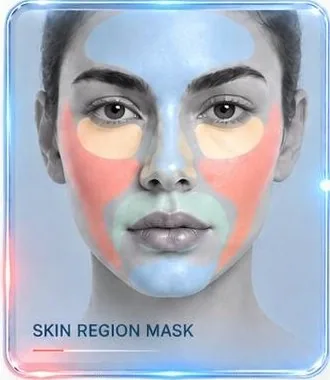
Region mask over a face Read onceasset_id asset_addf4r Landmarks68+ pointsRegion masksSkin, lips, hair, teeth, nailsToneLab*, lighting removedInput qualityScored on every read Analyze Transform Simulate Face Skin Hair Teeth Hands BodyEarly access Every call references one asset_id. Nothing is re-uploaded or re-detected.
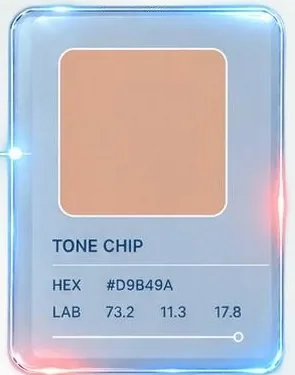
MeasurementsScores, Lab* tone, shape classes
MasksThe pixels each result refers to
MatchesRanked shades from your catalogue
RendersReal colour, finish and texture
PreviewsBefore and after, same person
Every result carries a confidence value and a reason.
Model marketplacesListed under Appearance
Cloud providersNative endpoints
Inference platformsHosted calls
API marketplacesMetered plans
Developer appsBuilt on your platform
01Understand
02Analyze
03Recommend
04Visualize
05Validate

Analyze. Skin Analysis returns scores and masks; your platform routes and meters the call.
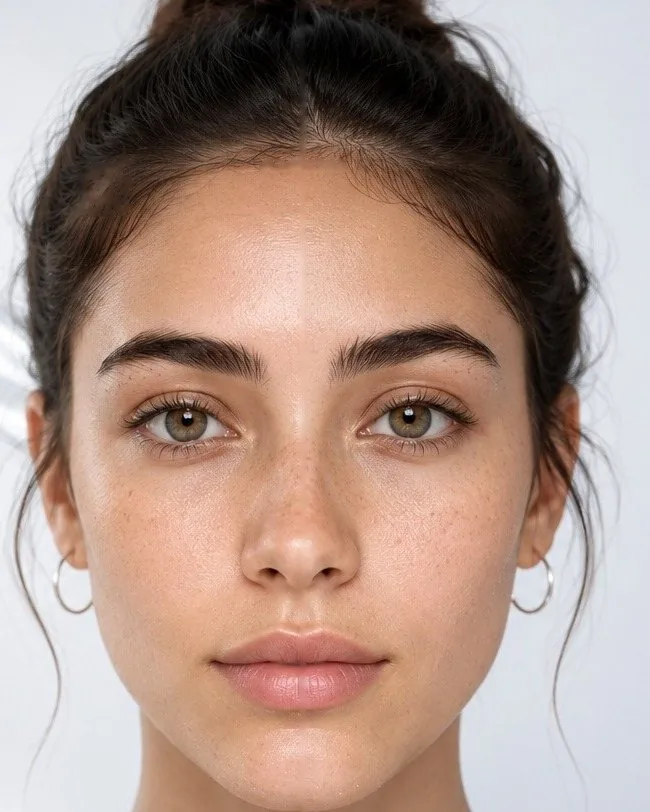
Morphia · one requestSkin AnalysisSample
The input image, uploaded once POST /v1/assets asset_6pa8ad Same image for every endpoint
Request
Response200 · succeeded

Stitched together, developers leave.

When analysis lives elsewhere, developers register with another vendor, pay a second bill and learn a second schema.

With Morphia in your catalog, they stay on your platform.

Capabilities

A specialist category for your catalog.

Production analysis and try-on of people, each one endpoint with published pricing.

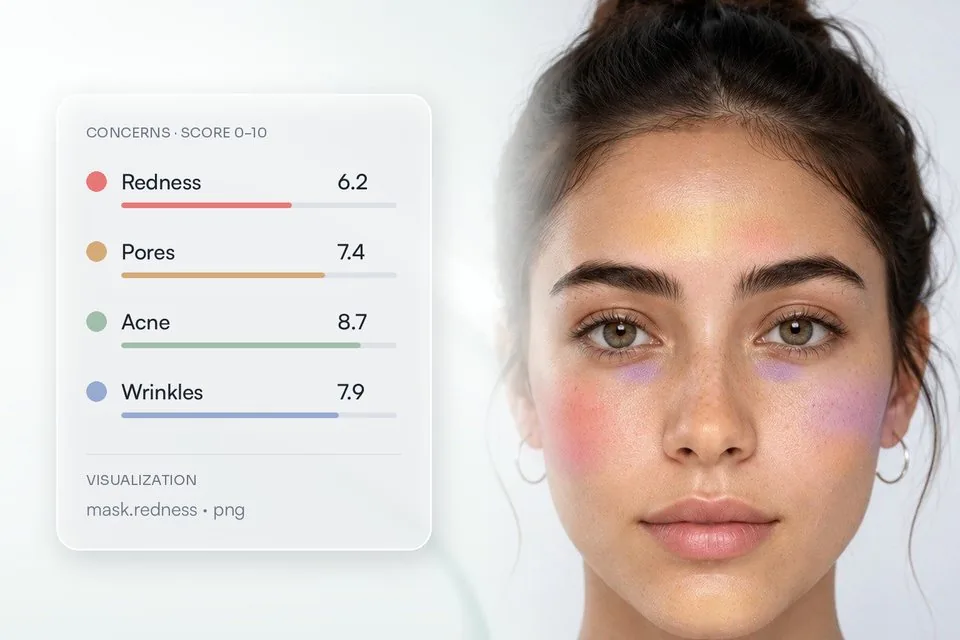
Skin Analysis concern scores over a selfie, with the per-region overlay
Skin · Analyze

Skin Analysis

Concern scores from 0 to 10, each with a mask the agent can point at.
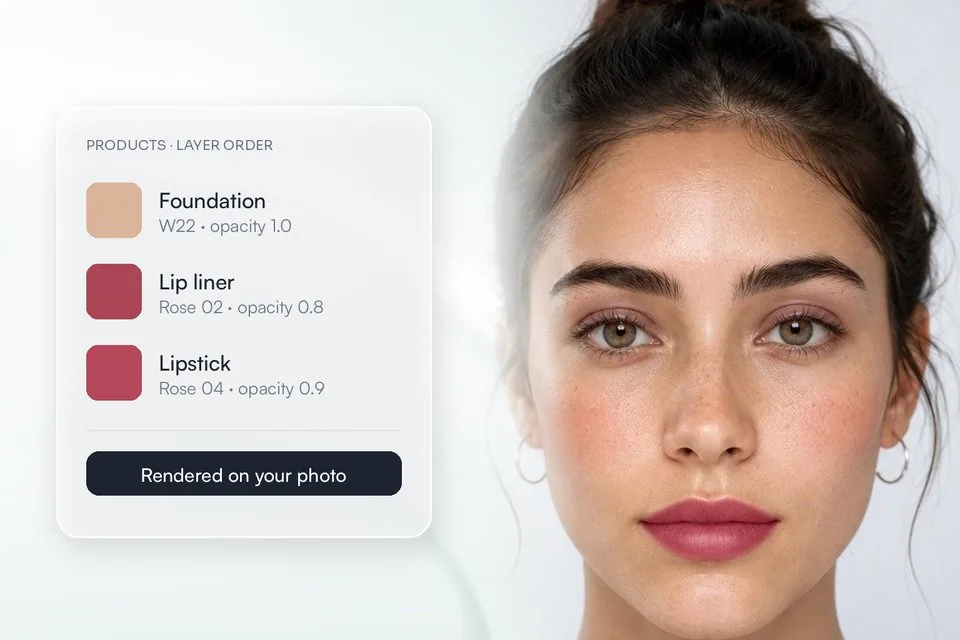
Foundation, lip liner and lipstick layered on the user’s photo
Makeup · Transform

Makeup Try-On

Foundation, lipstick and lip liner, layered in order on the user’s own photo.
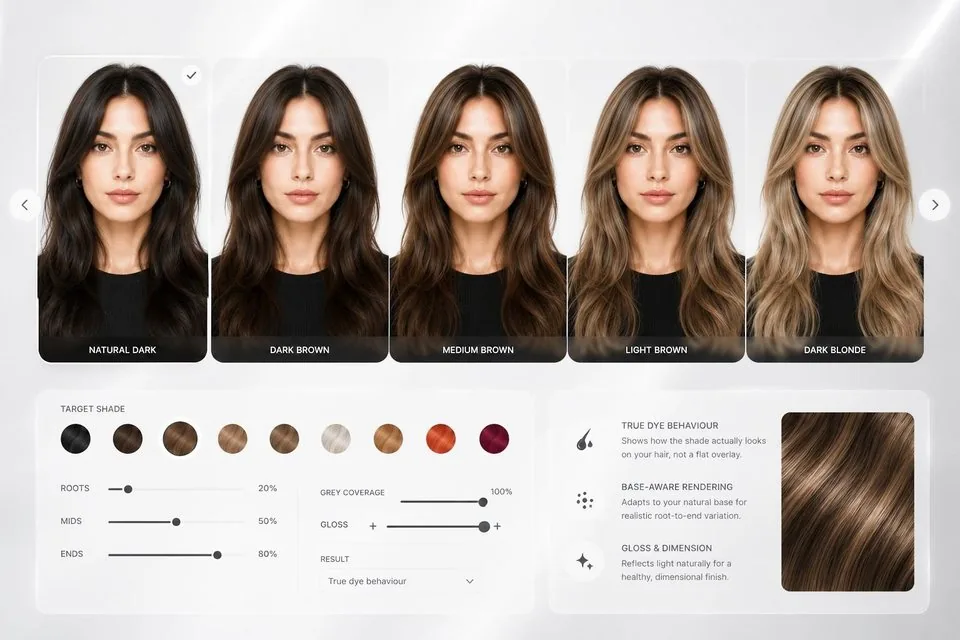
Early access
Five hair colours rendered on the same person, with root-to-end controls
Hair · Transform

Hair Color Try-On

A new hair colour rendered on the user’s own hair, strand by strand.
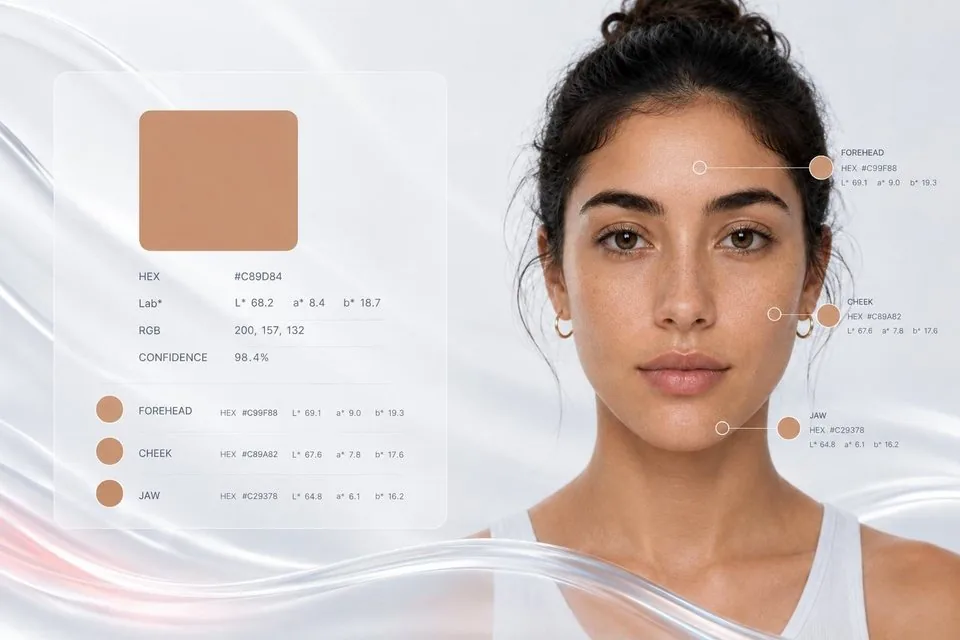
Early access
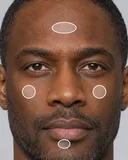
Skin tone measured at forehead, cheek and jaw, with HEX and Lab* values
Skin · Analyze

Skin Tone

Tone in Lab* with the lighting removed, so a match holds photo to photo.
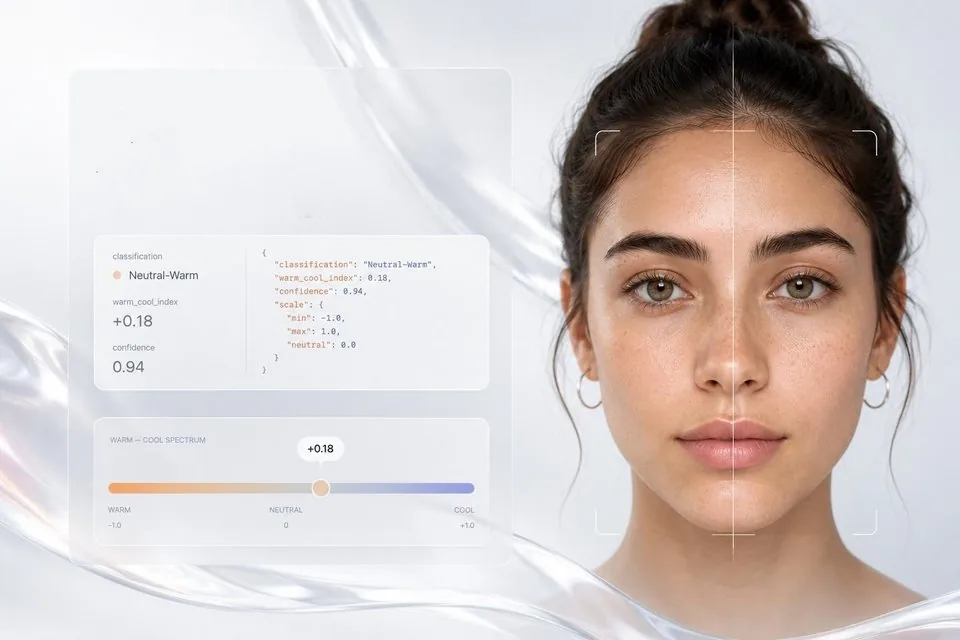
Early access
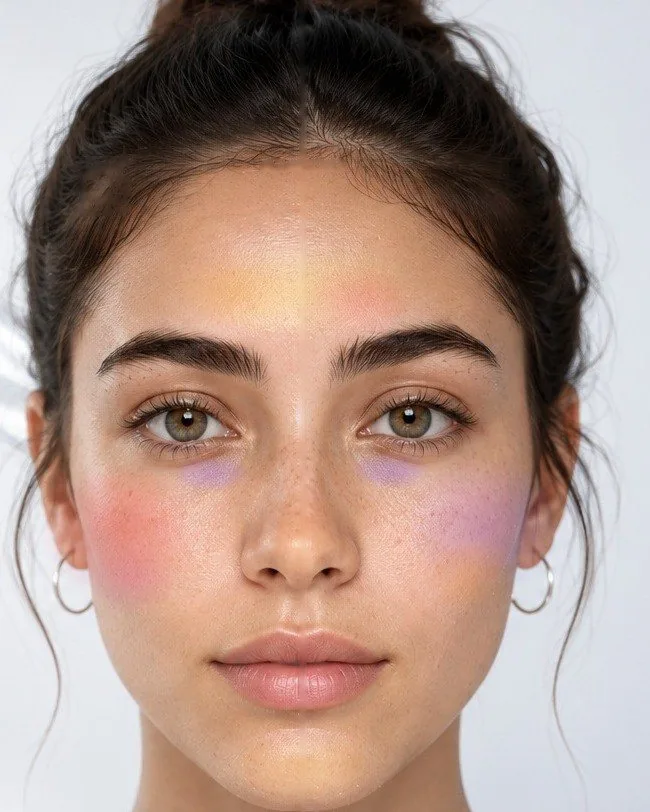
Undertone classified as neutral-warm on a warm-to-cool scale, with a confidence
Skin · Analyze

Undertone

Warm, cool or neutral, with a confidence the agent can quote.
Early access
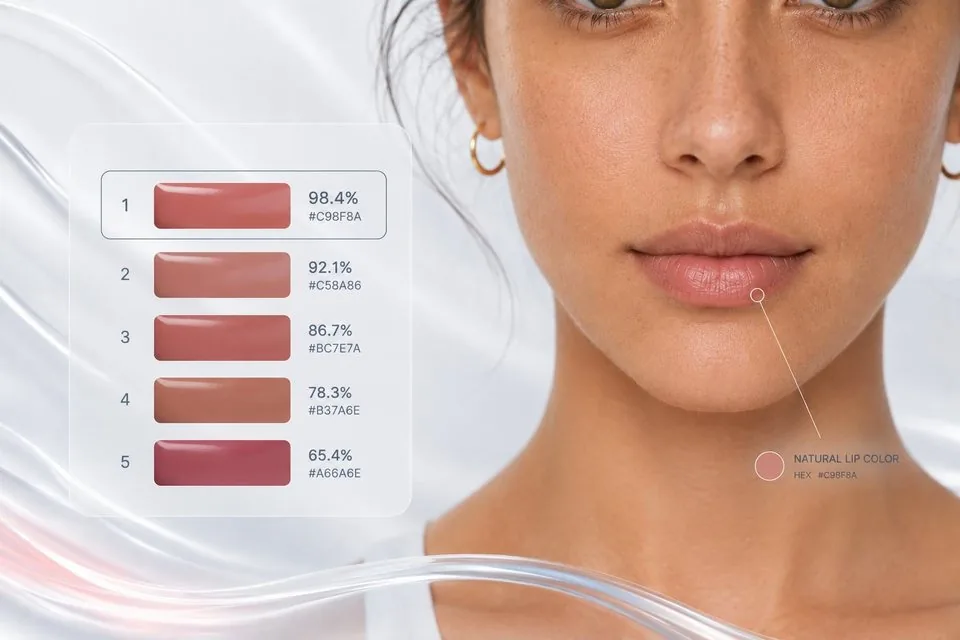
Lip shades ranked against the natural lip colour, closest first
Match · Analyze

Shade Matching

Your own shades ranked against the measured colour, closest first.
Early access
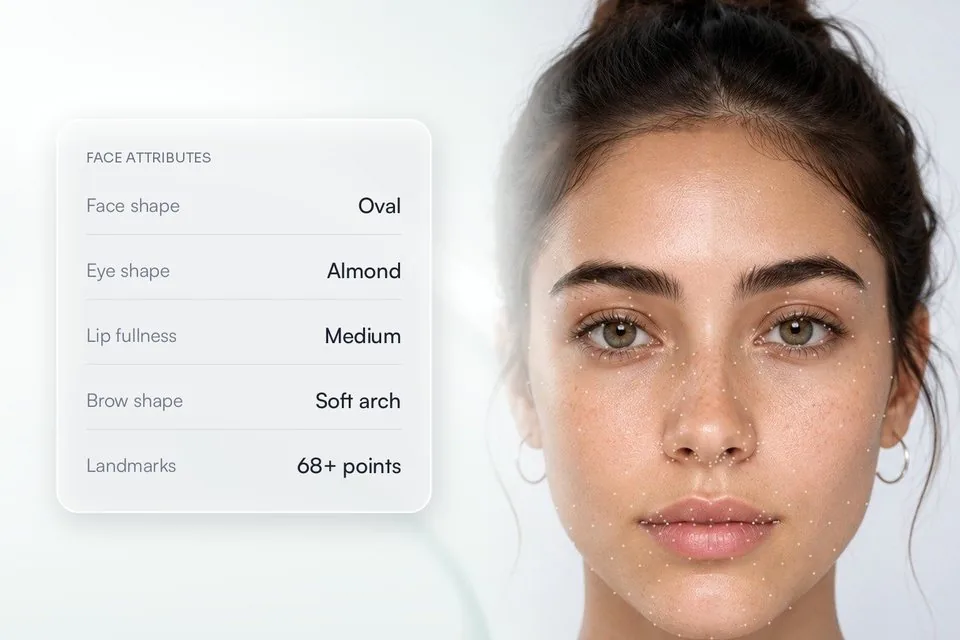
Face attributes read from landmarks: face, eye, lip and brow shape
Face · Analyze

Face Landmarks & Geometry

Landmarks, proportions and symmetry as numbers, read from the same mesh.
Early access
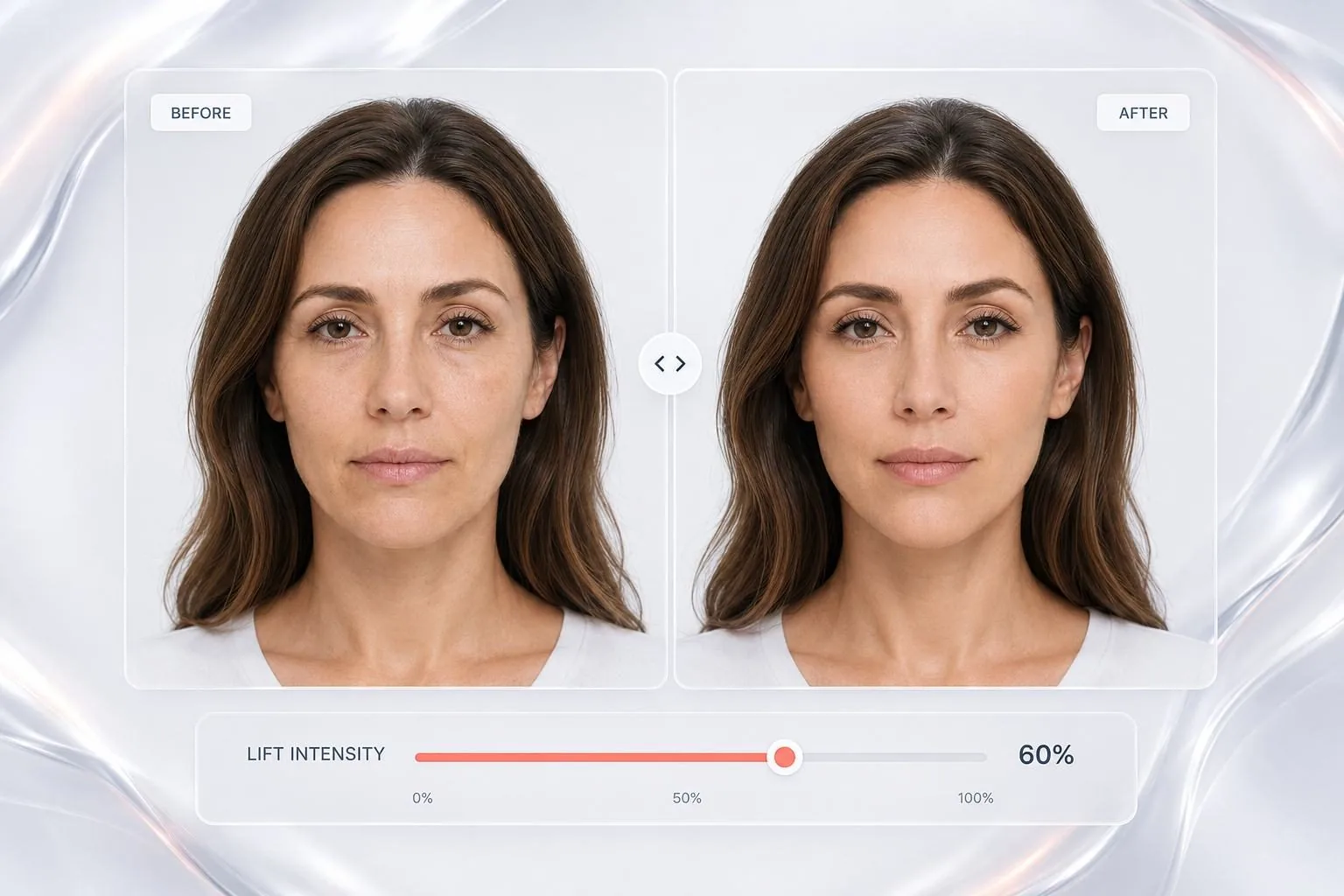
Lift intensity set to 60%, shown before and after on the same face
Face · Simulate

Face Reshape

Face-shaping changes previewed on the client’s own face, at the intensity you set.

Use Cases

What you can build

Four ways to offer Morphia to your developers. Usage in these demos is sample data.

Scenario 01 · Catalog listing Tap a shade, region or week · drag a photo to compare

Add analysis and try-on endpoints to your catalog.
models.yourcloud.com/catalog?category=appearance
Developer

Looking for a model that can read skin from a selfie.

Catalog
Browse the catalog
Model card
Sample output for the selected model Sample photo
endpoint – pricing – # category: Appearance
Why it’s listedAnalysis and try-on of people: a category most model catalogs don’t have yet.
Sample run · platform keydone

Waiting for a model…

Model–listed
provider–
RESTskin_analyses200
asset_id–
status–

Developers call Morphia with the key they already use on your platform.

DeveloperFinds Morphia in your catalog
Your marketplaceRoutes the call with their key
Morphia APIskin_analyses
ResultBack in their console

Your developers pay through your platform.

console.yourcloud.com/billing/usage
Developer team

One invoice for every model they use: yours.

Usage · this month
Usage this month
Billing
Usage by model · sample
billed – metered – # billing: waiting
For your developersNo separate account to open. Morphia usage shows up next to every other model they use.
Usage record · per calldone

Waiting for usage…

Call–metered
billed_to–
Reportusagesent
period–
shared–

Each call is metered once and billed through your platform. Bars show sample usage.

DeveloperCalls Morphia
Your platformMeters and bills it
MorphiaShares the usage report
DeveloperPays one invoice

Resell with usage reporting on both sides.

Reseller report · coming soon
Reseller

Resells Morphia to its own customers, at its own price.

Customers
Reseller report
Usage report
Waiting…
Your reportCustomers A, B, CMorphia’s reportCustomers A, B, C
terms – pricing – # program: coming soon
Partner termsResale and white-label rights are set in the partner agreement.
Usage report · shareddone

Waiting for a report…

Customer–listed
calls–
Reportmonthlysent
seen_by–

The distribution and reseller program is coming soon.

Your customerCalls through you
Your platformMeters per customer
MorphiaSame usage, same numbers
Both sidesOne shared report

Joint launch content and sample apps.

yourcloud.com/launch/appearance-models
Launch kit

Prepared with Morphia for your developers.

Launch kit
Co-marketing
Selected asset
The sample app’s photo and result Sample app
asset – owner – # co-marketing
Joint launchLaunch content and sample apps are prepared together for your developers.
Sample app · first calldone

Waiting…

RESTskin_analyses200
asset_id–
status–

The sample app calls the same endpoints your developers will use.

LaunchJoint post and docs
Sample appskin_analyses
DevelopersFork and deploy
Your catalogMore calls to a new category
For Developers

One key. Call the models your use case needs.

1
Set upcurl + jq, API key from the Platform
export MORPHIAONE_API_KEY="pk_test_..." MORPHIAONE_BASE_URL="https://api.morphiaone.ai"
2
Upload and submitkey in X-API-Key
ASSET_ID=$(curl -s "$MORPHIAONE_BASE_URL/v1/assets" -H "X-API-Key: $MORPHIAONE_API_KEY" -H "Content-Type: image/jpeg" --data-binary @face.jpg | jq -r .id) curl -s -D h.txt "$MORPHIAONE_BASE_URL/v1/skin/analyses" -H "X-API-Key: $MORPHIAONE_API_KEY" -H "Idempotency-Key: run-001" -H "Content-Type: application/json" -d '{"inputs":[{"role":"source","asset_id":"'$ASSET_ID'"}],"concerns":["acne","redness"]}'
3
Read the resultpoll until succeeded
curl -s -H "X-API-Key: $MORPHIAONE_API_KEY" "$MORPHIAONE_BASE_URL$(grep -i ^location h.txt | cut -d' ' -f2 | tr -d '\r')" # → "output": { "concerns": [{ "concern": "acne", "score": 8.7 }, …] }
Read the docs →
See all capabilities →
Why teams choose Morphia

Pricing for early access

Pricing is agreed per account during early access. Failed jobs are never charged.

Submit, poll, done

Upload the image once, submit a job and poll it, or let the SDK wait for you.

A confidence and a reason

Every result says how sure it is and why, so the agent can explain a pick or ask for a retake.

Partner terms

Resale and white-label rights are set in the partner agreement. No face recognition and no attractiveness scores.

Explore the API

Start building with Morphia.

Start with an API key. Upload a selfie, pick what to measure, see what returns.

uploadedasset_id
Step 1Upload a selfieWith consent, front-facing.
acnerednessspots
Step 2Pick what to measureThe concerns you need.
The uploaded selfie
Photo
The same selfie with acne and redness mapped
Acne · Redness
Step 3See what returnsEach concern mapped on the face.
API keysPOST /v1/skin/analyses202 → succeeded