
AGENTIC EXPERIENCES

The visual layer for the agents people already use.

Personal agents can shop, book and advise — but they can't see. Morphia connects to agents through its API today, with MCP and A2A coming soon, so they can read a face, match a product and show the result before they act.
Personal agentSample chat
The user’s selfie, sent in the chatFind me a foundation that suits me.
I’ll check your photo with Morphia first.
Morphiafit profile · try-on
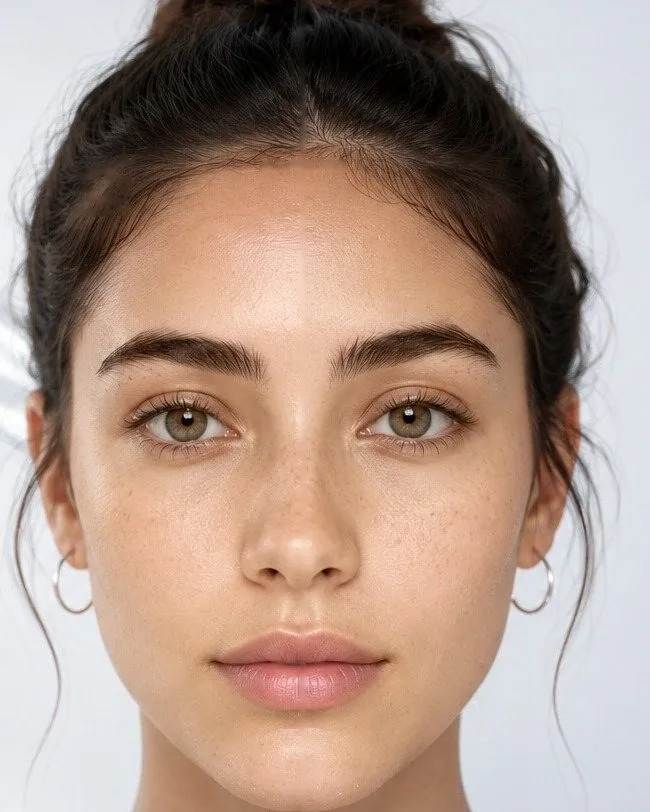
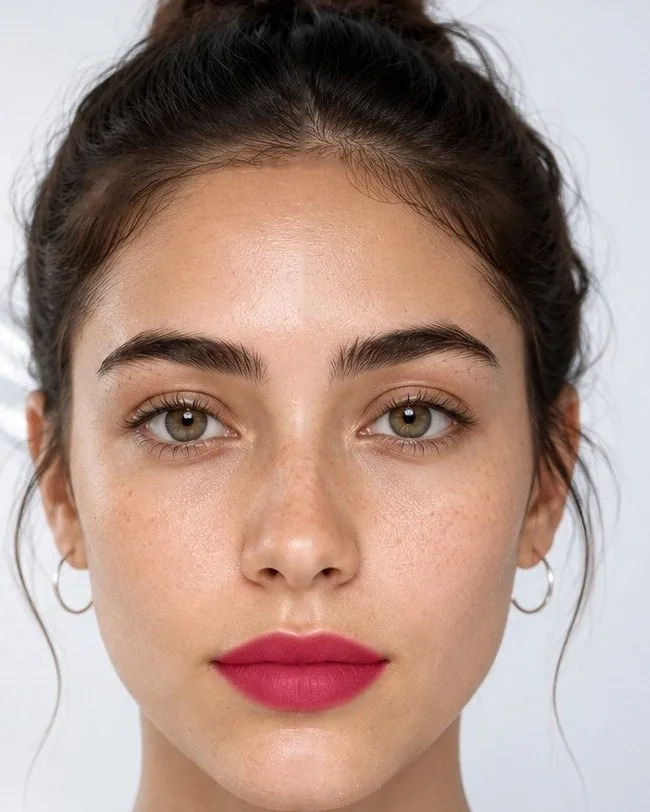
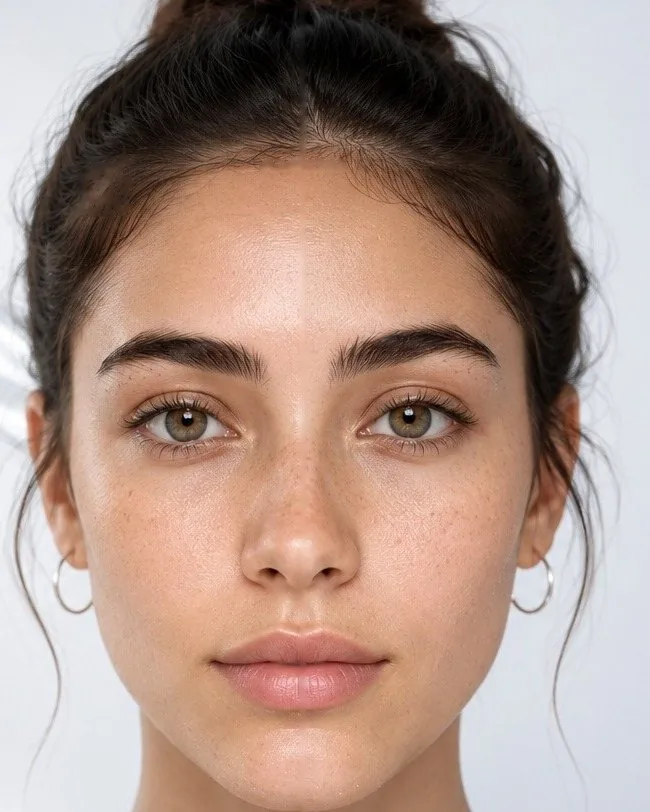
The user’s face
Your photo
Fit profile
ToneLight-medium
UndertoneWarm
Top matchW22
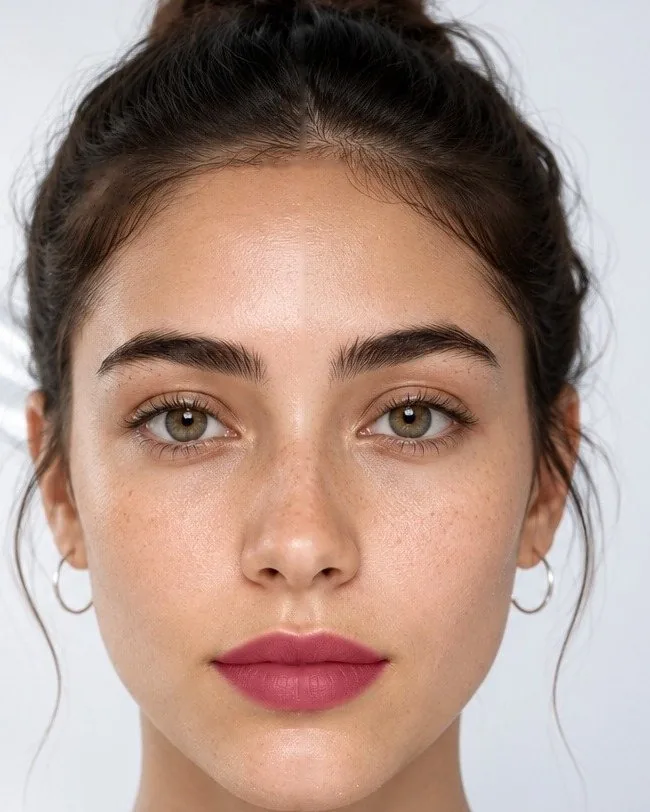
Warm Beige W22 rendered on the user’s own photo
Try-on
Warm Beige W22 is your closest match. Shall I buy it?
Sent to checkout on the platform
Checkout stays on the platform.
The Problem

Agents can shop, book and advise. They can’t see.

A personal agent knows the catalogue, the calendar and the cart, but not the person asking. It ranks by product name and price, and the user finds out at delivery whether it suits them.

Morphia is the visual layer: the agent reads a face, matches a product and shows the result before it acts.

STITCHED · FOUR PROVIDERS Detect Vendor A $ Tone Vendor B $ Match Vendor C $ Render Vendor D $ Time to answer 4 uploads · 4 waits · 4 bills · results that don’t agree STITCHED · FOUR PROVIDERS Detect $ Tone $ Match $ Render $ Time to answer 4 uploads · 4 waits · 4 bills results that don’t agree
What the agent needs
Without Morphia
Morphia
Read the person
Guesses from what the user types
A non-identifying appearance profile from one selfie
Match the product
Ranks by name and price
Products ranked by fit, each with a reason
Show it on them
A description in words
The top match rendered on the user’s face, in the chat
Hand off
The user checks elsewhere
Checkout or booking on the platform, once the user confirms
Protect identity
Raw photos, tool to tool
A profile, not a face template
What the agent needs● With Morphia
Read the personWith MorphiaA non-identifying appearance profile from one selfie
Without MorphiaGuesses from what the user types
Match the productWith MorphiaProducts ranked by fit, each with a reason
Without MorphiaRanks by name and price
Show it on themWith MorphiaThe top match rendered on the user’s face, in the chat
Without MorphiaA description in words
Hand offWith MorphiaCheckout or booking on the platform, once the user confirms
Without MorphiaThe user checks elsewhere
Protect identityWith MorphiaA profile, not a face template
Without MorphiaRaw photos, tool to tool
How it works

Read once.
Then see, match, show and act.

The agent sends one photo. Morphia checks it and reads the face once, and every tool the agent calls works from that read. So the profile it quotes, the match it ranks and the try-on it shows describe the same person.
  1. 01
    InputWhat the agent sends
    Photo · selfie, with consentYour tools · catalogue, cart, calendarThe request · “Find my shade and book”
  2. 02
    One APIOne key for every capability
    REST · AvailableMCP · SoonA2A · SoonConnectors · Soon
  3. 03
    Read onceEvery capability uses the same read
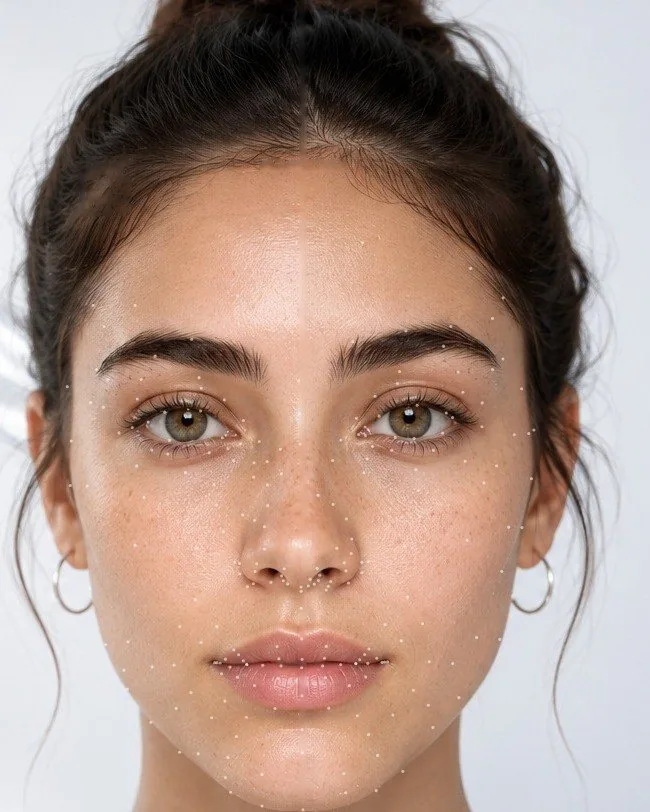
    Landmark mesh over a faceConsentPurpose and retentionInput qualityScore and a reasonToneLab*, lighting removedRegion masksSkin, lips, hair
    FaceSkinHairTeethHandsBody · early access
  4. 04
    OutputTyped results the agent can explain
    MeasurementsMasksMatchesRendersSimulations
  5. 05
    Where it shipsInside your product
    Personal agentsBrand agentsAgent platformsCheckoutBooking

The photo is uploaded once. Every result comes with a confidence and a reason.

A personal agent is asked for a foundation that suits the user, and gets a selfie.
Active path
01InputWhat your agent sends
02One APIOne key, one call
03Human appearance intelligenceRead once, shared by every model
04OutputStructured, and in agreement
05Where it shipsInside your product
PhotoSelfie, with consent
Your toolsCatalogue, cart, calendar
The request“Find my shade and book”
morphia · One key· One schema· One job per request Reach it from RESTAvailable MCPSoon A2ASoon ConnectorsSoon
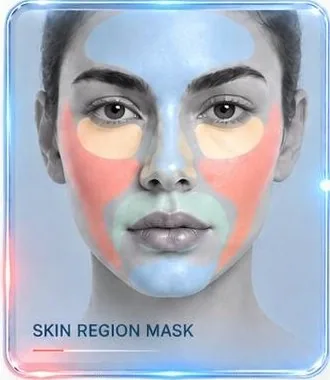
Region mask over a face Read onceasset_id asset_6pa8ad Landmarks68+ pointsRegion masksSkin, lips, hair, teeth, nailsToneLab*, lighting removedInput qualityScored on every read Analyze Transform Simulate Face Skin Hair Teeth Hands BodyEarly access Every call references one asset_id. The photo is uploaded once.
MeasurementsScores, tone, undertone
MasksWhat each score refers to
MatchesRanked from your catalogue
RendersReal colour, finish and texture
PreviewsLabelled simulations
Every result carries a confidence value and a reason.
Personal agentsAssistants people use daily
Brand agentsAdvisors on their own stack
Agent platformsFrameworks and builders
CheckoutOn the platform
BookingSalon, spa or clinic
01Understand
02Analyze
03Recommend
04Visualize
05Validate

Visualize. Skin Tone and Undertone build the profile, Shade Matching ranks the catalogue, and Try-On renders the top match before the agent asks to buy.

Morphia · one requestSkin AnalysisSample
The input image, uploaded once POST /v1/assets asset_6pa8ad Same image for every endpoint
Request
Response200 · succeeded

Stitched together, the chain breaks.

Separate providers each read the face again. Results drift, every hop adds a wait and a bill, and nothing guarantees the shade an agent quotes is the one it shows.

With Morphia, one upload serves every tool the agent calls.

Capabilities

Tools your agent can call, one endpoint each.

Each tool answers one question about how the user looks. REST is available today; MCP and A2A are coming soon.

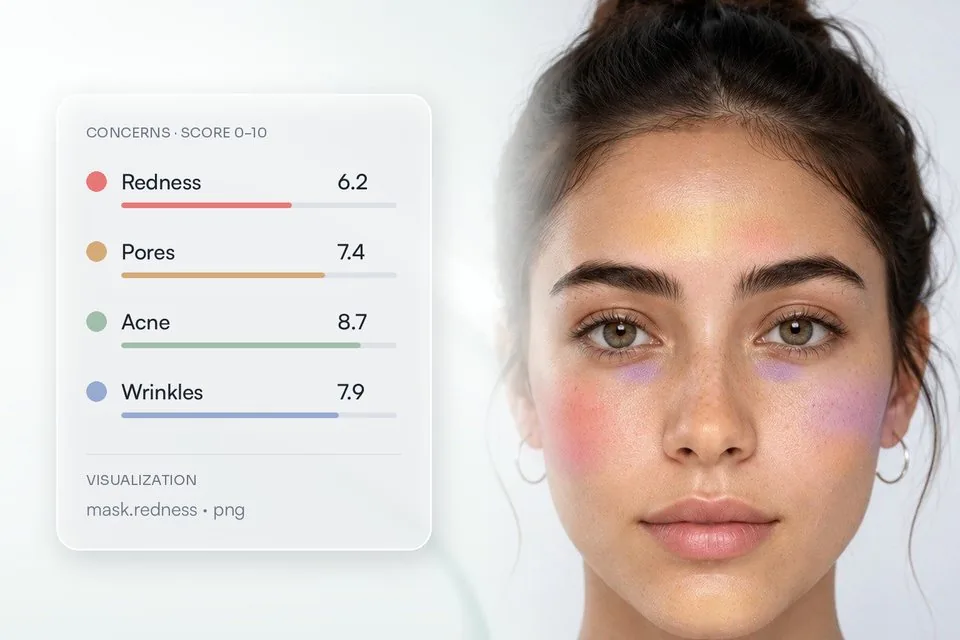
Skin Analysis concern scores over a selfie, with the per-region overlay
Skin · Analyze

Skin Analysis

Concern scores from 0 to 10, each with a mask the agent can point at.
Early access
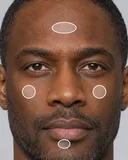
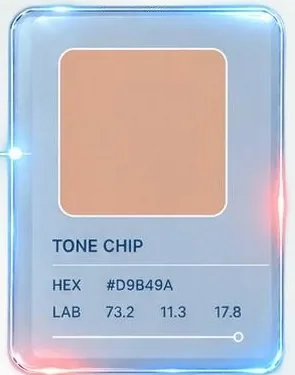
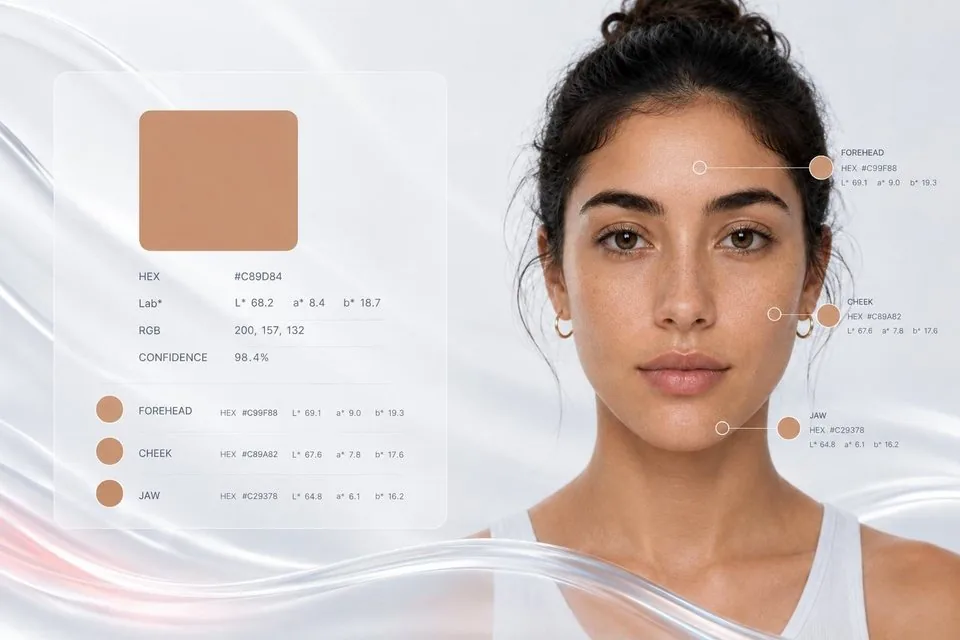
Skin tone measured at forehead, cheek and jaw, with HEX and Lab* values
Skin · Analyze

Skin Tone

Tone in Lab* with the lighting removed, so a match holds photo to photo.
Early access
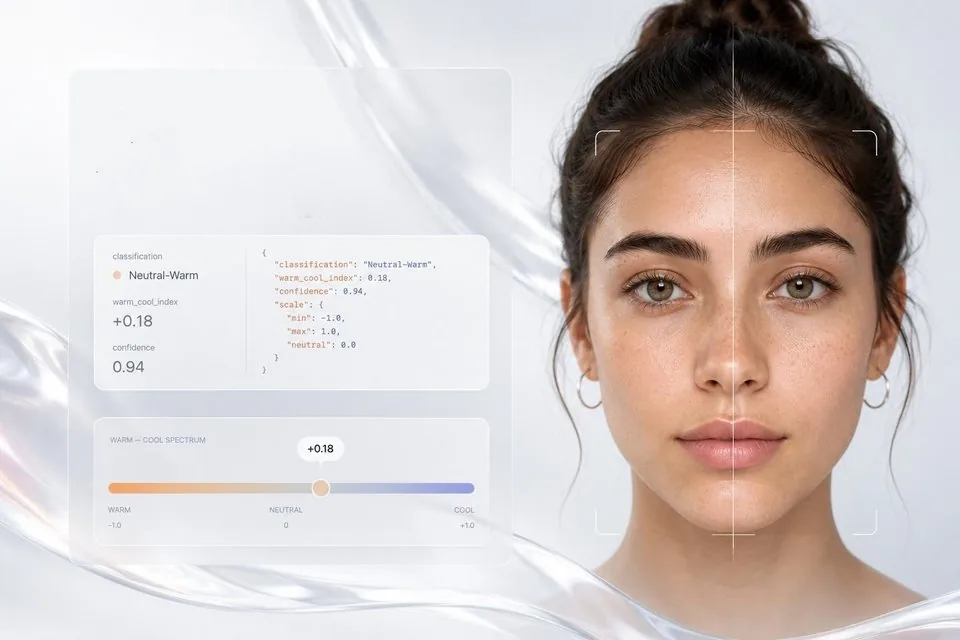
Undertone classified as neutral-warm on a warm-to-cool scale, with a confidence
Skin · Analyze

Undertone

Warm, cool or neutral, with a confidence the agent can quote.
Early access
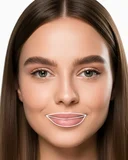
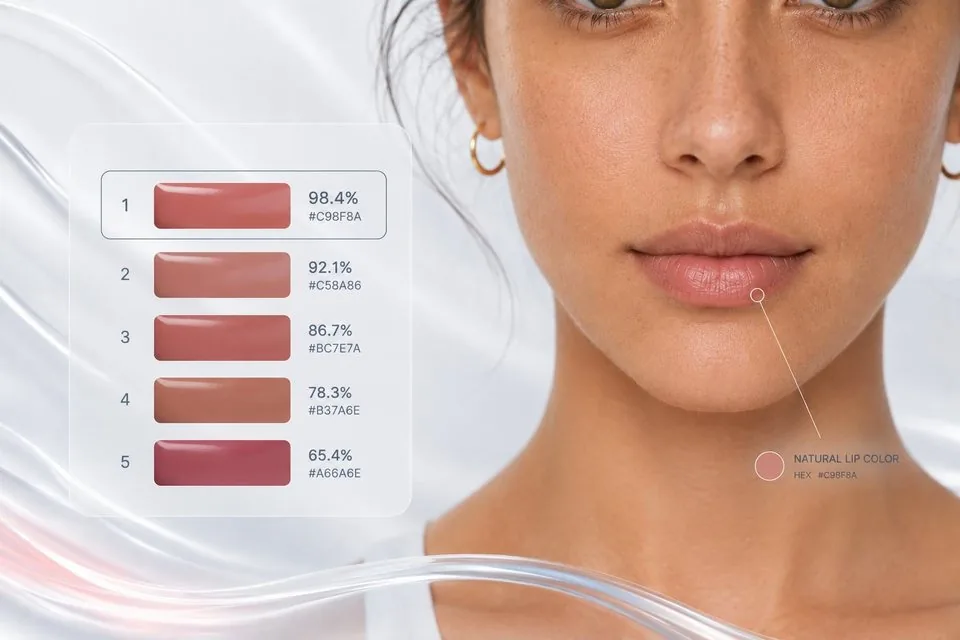
Lip shades ranked against the natural lip colour, closest first
Match · Analyze

Shade Matching

Your own shades ranked against the measured colour, closest first.
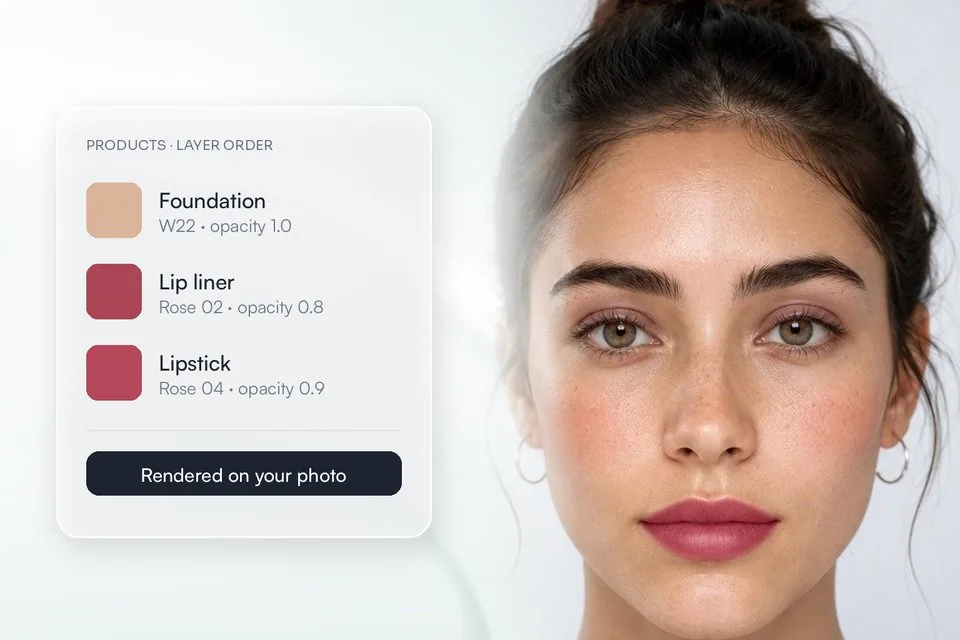
Foundation, lip liner and lipstick layered on the user’s photo
Makeup · Transform

Makeup Try-On

Foundation, lipstick and lip liner, layered in order on the user’s own photo.
Early access
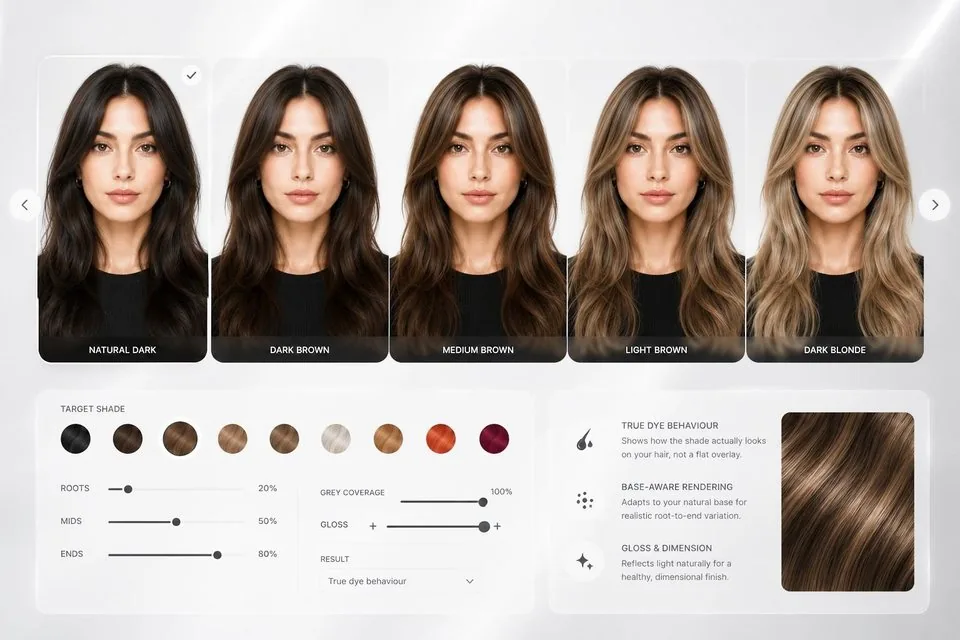
Five hair colours rendered on the same person, with root-to-end controls
Hair · Transform

Hair Color Try-On

A new hair colour rendered on the user’s own hair, strand by strand.
Early access
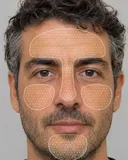
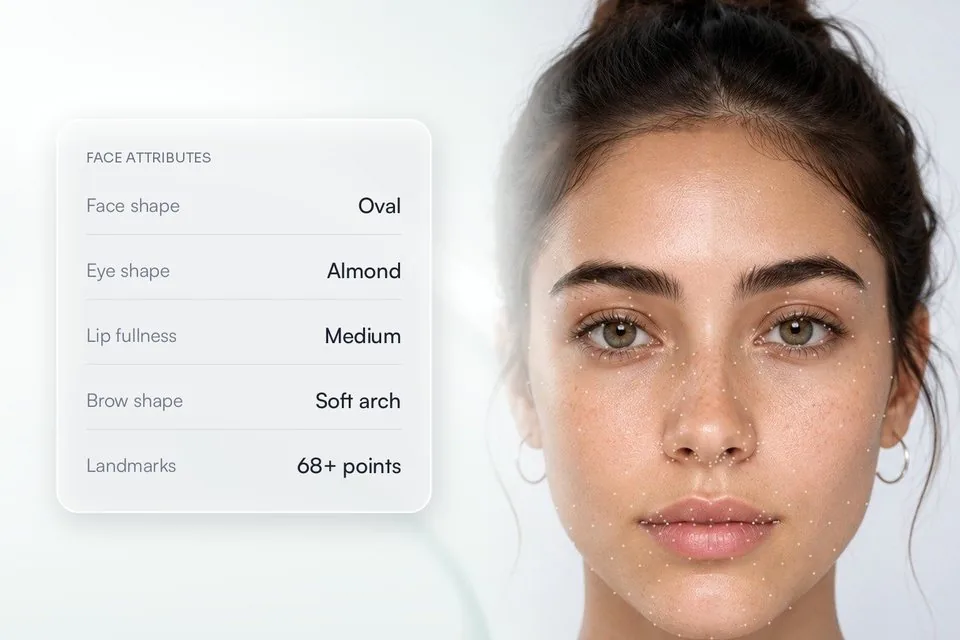
Face attributes read from landmarks: face, eye, lip and brow shape
Face · Analyze

Face Landmarks & Geometry

Landmarks, proportions and symmetry as numbers, read from the same mesh.
Coming soon
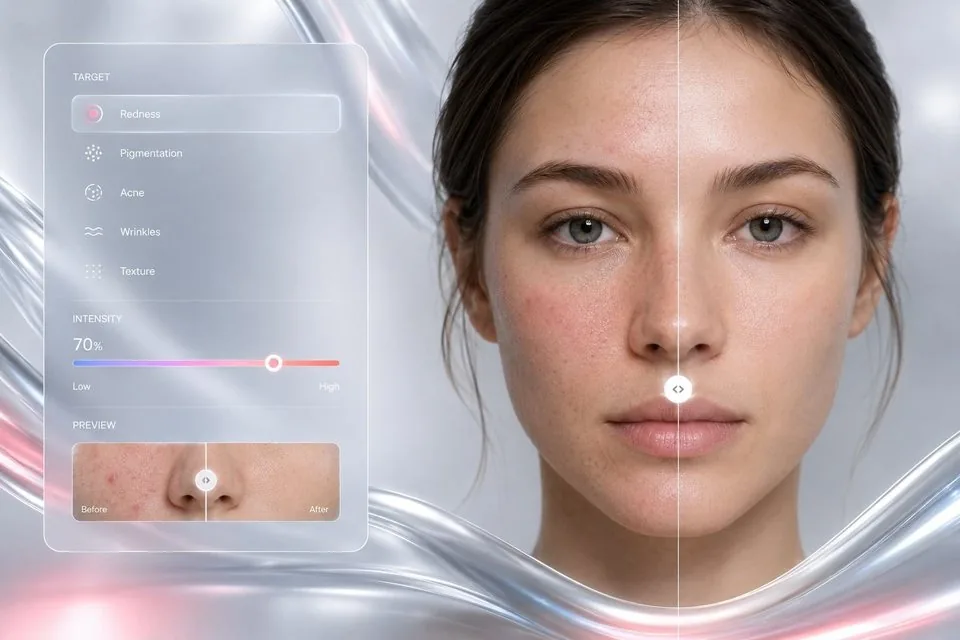
Skin simulation with a before-and-after split on the same face
Skin · Simulate

Skin Outcome Simulation

How skin could look with a routine, always labelled as a simulation.

Use Cases

What the agent can do

Four steps every appearance-aware agent takes. Each one is a Morphia call on the same asset_id, and each result says how sure it is.

Scenario 01 · Read the person Tap a shade or a tool call · drag a photo to compare

Turn one selfie into a non-identifying appearance profile.
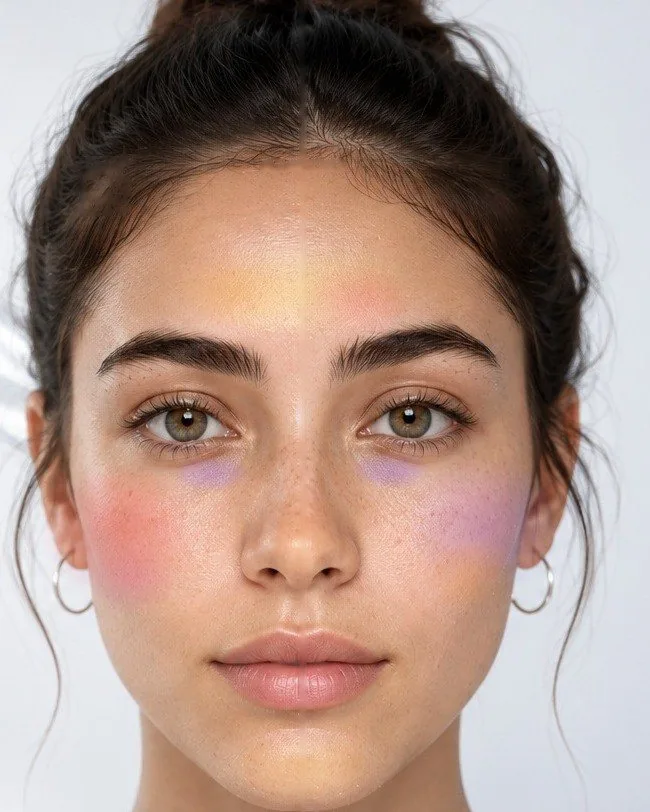
agents.yourcompany.dev/runs/run_7Hd2
User · intake agent

Send my skin photos to Dr. Okafor before Friday’s video visit.

Tool calls · waiting
Run in progress
Selected call
The image or reading for the selected tool call Waiting…
confidence – reason – # agent: waiting
Agent decisionPhototype is near a boundary, so the agent flags it for the clinician instead of stating it.
Selected call · tool and RESTdone

Waiting for the photo…

Toolfacescall
server–
RESTPOST /faces200
asset_id–
confidence–

Each agent tool maps to one REST endpoint on the same asset_id. Tap a call in the log to inspect it.

InputA request and consent to share
Morphia · REST · 3 callsfaces + skin_analyses + fitzpatrick_types
OutputReadings, each with a reason
Your productSends them to the clinician

Rank products by fit, not just by name and price.

9:41
Beauty AdvisorYour brand · sees with Morphia
Which foundation shade is mine? I’m always between two.
The shopper's selfie
Morphia · skin_tones · undertones
Your skin measures light-medium with a warm undertone. Closest in our range:
Tone#D9B49AUndertoneWarmConfidence0.92
Warm Beige W22Satin · your rangeΔE 1.6
Natural Beige N20Satin · your rangeΔE 3.4
Show me W22 on my photo.
Morphia · try_on
Warm Beige W22 on your photo:Warm Beige W22 foundation rendered on the shopper's selfie
Add W22 to bag · $38Try N20
Add W22 to my bag.
✓ W22 is in your bag. Want a primer picked for the same skin?
Ask anything…
3 calls · same asset_iddone

Waiting for the photo…

01skin_tones200
hex–
02undertones200
class–
03try_on200
item–
render–

Each tool is one Morphia endpoint on the same asset_id. The shades come from your catalogue.

InputSelfie and a question
Morphia · REST · 3 toolsskin_tones + undertones + try_on
OutputMeasured tone, shade on her photo
Your productAdds it to the bag

Render the top match on the user’s face inside the chat.

9:41
Beauty AdvisorYour brand · sees with Morphia
How would the Rose 04 lipstick look on me?
The user's selfie
Morphia · render_look
Here’s Rose 04 on you:Rose 04 rendered on the user
Something bolder?Add to bag
Something bolder?
Morphia · render_look
Ruby 01 is the boldest red that suits you:Ruby 01 rendered on the user
Add Ruby 01 to bag
✓ Added. Want a liner to match?
Ask anything…
REST · render_look200
asset_id–
lipstick–
output–

The assistant calls Morphia over REST and answers with a render on the user’s own photo. The second shade reuses the same read.

Input“How would this look on me?”
Morphia · RESTrender_look
OutputA render in the chat
Your productAdds it to the bag

Pass the choice to checkout or booking on the platform.

Shopping agentTablet app · SDKYour store
Build me a simple routine for my skin, and a lipstick for a wedding. Under $120.
The shopper's selfie
skin_analyses · skin_tones · undertones
Your cheeks show the most redness (58). Tone reads light-medium, warm undertone (0.90). I started with a calming cleanser and serum.
shade_matches
try_on
Skin Tint W22 is your closest match (ΔE 1.6). With Rose 04 for the wedding:Skin Tint W22 and Rose 04 lipstick rendered on the shopper's selfie
Check out · $112Swap lipstick
Check out.
4 items, $112, to your saved address. Confirm?
✓ Ordered. Tracking is on its way by email.
Ask your agent…
Your routine
Calming Gel CleanserFor redness · 58$18
Barrier SerumRedness and texture$32
Skin Tint W22Shade match · ΔE 1.6$38
Satin Lipstick Rose 04Rendered on your photo$24
Total– Budget$120
Check out
5 calls · same asset_iddone

Waiting for the photo…

01skin_analyses200
top–
02skin_tones200
hex–
03undertones200
class–
04shade_matches200
top–
05try_on200
items–

Products and prices come from your catalogue. The agent pays only after the shopper confirms.

InputSelfie, budget and an occasion
Morphia · SDK · 5 callsskin_analyses … try_on
OutputA routine matched to her read
Your productChecks out once she confirms
For Developers

One key. One tool per question.

1
Set upcurl + jq, API key from the Platform
export MORPHIAONE_API_KEY="pk_test_..." MORPHIAONE_BASE_URL="https://api.morphiaone.ai"
2
Upload and submitkey in X-API-Key
ASSET_ID=$(curl -s "$MORPHIAONE_BASE_URL/v1/assets" -H "X-API-Key: $MORPHIAONE_API_KEY" -H "Content-Type: image/jpeg" --data-binary @face.jpg | jq -r .id) curl -s -D h.txt "$MORPHIAONE_BASE_URL/v1/skin/analyses" -H "X-API-Key: $MORPHIAONE_API_KEY" -H "Idempotency-Key: run-001" -H "Content-Type: application/json" -d '{"inputs":[{"role":"source","asset_id":"'$ASSET_ID'"}],"concerns":["acne","redness"]}'
3
Read the resultpoll until succeeded
curl -s -H "X-API-Key: $MORPHIAONE_API_KEY" "$MORPHIAONE_BASE_URL$(grep -i ^location h.txt | cut -d' ' -f2 | tr -d '\r')" # → "output": { "concerns": [{ "concern": "acne", "score": 8.7 }, …] }
Read the docs →
See all capabilities →
Why teams choose Morphia

Pricing for early access

Pricing is agreed per account during early access. Failed jobs are never charged.

Submit, poll, done

Upload the image once, submit a job and poll it, or let the SDK wait for you.

A confidence and a reason

Every result says how sure it is and why, so the agent can explain a pick or ask for a retake.

No identity, only fit

Agents receive a profile, not a face template.

Explore the API

Give your agent an eye for appearance.

Start with an API key. Upload a selfie, pick the tools your agent needs, see what returns.

uploadedasset_id
Step 1Upload a selfieWith consent, front-facing.
skin toneshade matchtry-on
Step 2Pick the toolsWhat your agent will call.
The uploaded selfie
Photo
Warm Beige W22 rendered on the same selfie
W22 try-on
Step 3See what returnsA fit profile and the top match on the face.
API keysREST · POST /v1/makeup/try-onsMCP · Coming soon